3
BASIC OPERATIONS
POWER ON: Press and hold [MENU] for 1 second to power on unit to photo viewer mode.
POWER OFF: Press and release [MENU] to access main menu, then press and release to
select power off.
AUTO POWER OFF: When device remains idle, it conserves battery power by automatically powering
off after 3 minutes.
TIME DISPLAY MODE: From the menu select clock set. Press and hold or for 2 seconds to
display YEAR-MONTH-DAY-HOUR-MINUTE-SECOND-DAY OF THE WEEK.
LOW BATTERY: When the battery is low, the screen will display “ ”
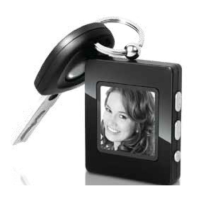
CHARGE BATTERY: Connect the USB cable to the photo viewer and then connect the USB cable to
the computer’s USB port. The battery charging meter will appear on the screen.
RESET: If photo viewer malfunctions, press the RESET button located on the back of the photo
viewer.
TO ACCESS MENU FUNCTIONS
• MAIN MENU ACCESS: Press [MENU] button.


 To Next Page