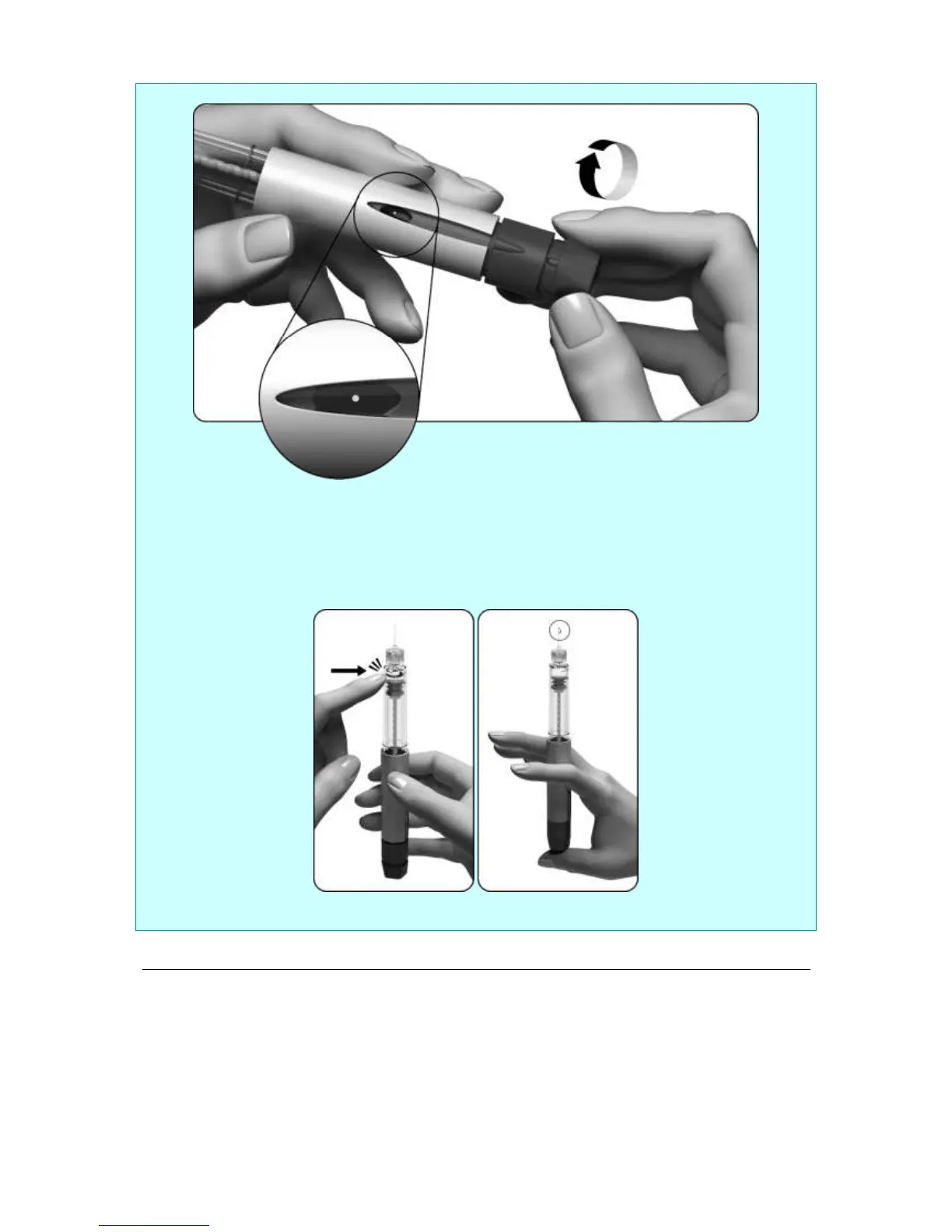
If you do not see a tiny drop(s) of fluid at or near the tip:
1. Gently turn the dose setting knob clockwise until you see a dot (●) in the dose display. If you pass
this position, simply turn the dose setting knob back to the dot (●).
2. Hold the pen with the needle pointing upward.
3. Tap the reservoir holder gently.
4. Press the dose setting knob as far as it will go. A tiny drop of liquid will appear at the top of the
needle; this shows that your pre-filled pen is ready for injection.
5. If you do not see any liquid, you may try a second time (you may do this a maximum of two times)
starting from step 1 of section “If you do not see a tiny drop(s) of fluid at or near the tip” above.
4. Setting the dose to 250
• Gently turn the dose setting knob clockwise. The dose display will show a straight line and you
have to keep turning until you can read the number ‘250’.
• Do not push or pull the dose setting button while you turn it.



 To Next Page