Need help?
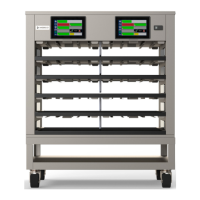
Do you have a question about the Merco MHC22SNT1T and is the answer not in the manual?
Covers critical safety warnings and dangers related to operation, handling, and environmental conditions for the equipment.
Details compliance with FCC and Industry Canada regulations for digital devices and RF exposure limits.
Specifies ideal placement criteria, including stability, clearance, and environmental conditions for safe operation.
Covers electrical requirements, grounding, wiring, voltage variations, and power cord specifications.
Overview of the user interface, access screens, and the factory default manager password for daily operation.
Details on the pre-heating process, product identification, and active timers for efficient food holding.
Setting date, time, time zone, and NTP synchronization for accurate operation and logging.
Steps to connect the unit to a Wi-Fi network by entering SSID and password for network access.
Utilizing functions like demo mode, exporting/importing menu files, and viewing platform information.
Instructions for updating the User Interface (UI) board firmware using a USB flash drive.
Procedures for updating the Input/Output (I/O) board firmware via USB for system maintenance.
Common causes and corrections for the cabinet failing to power on or operate correctly.
Troubleshooting steps for display issues like cross-hatch and timer disabling for operational clarity.
 General
| Brand | Merco |
|---|---|
| Model | MHC22SNT1T |
| Category | Commercial Food Equipment |
| Language | English |

 To Next Page