GM Marine EFI
Obtaining Data
After selecting the “Marine EFI” function the scan tool will attempt to communicate
with the engine’s fuel injection computer and automatically identify it. After an
identification is made, you will be presented with several menu choices. To obtain
diagnostic data and system trouble codes, select the “ECM Data” function. This
menu choice causes the scanner to begin reading information from the ECM module.
The scanner will prompt for your input as follows:
1) After choosing the ECM data function, the scanner may prompt you to choose a
data list(MEFI-1 thru MEFI-4 systems only). Select Data List #1 or Data List #0.
Data List #1 contains diagnostic service information and will usually be of
primary interest to you.
Data List #0 contains a smaller number of information items and is intended for
electronic instrumentation purposes.
2) The scanner will now attempt to communicate with the engine’s computer and
automatically determine what version of ECM is installed on the engine.
3)
Next, the scanner will provide you with the number of Operating Hours the
engine has logged. Once displayed, the scanner will interrogate the ECM and
obtain any stored Fault Codes. If any codes are detected, they will be displayed
along with their descriptions. Options will be displayed allowing you to Review
as well as Erase the stored codes.
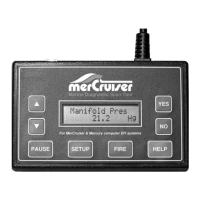
4) The tool will now enter its “Scanner” mode and allow you to select and display a
wide variety of engine sensor and operating information. The displayed data is
updated several times per second. Use the s and t keys to scroll through the
available information. Use the HELP key to access information on the currently
displayed engine parameter. Use the NO key to exit the “Scanner” mode and
return to the main menu.
Page 16


 To Previous Page