Messenger Modem
®
Page 22
Switch settings for:
ER
1200 Baud
Enable Line Share
Enable Ring Detect
Wake up on 1 Ring
Enable Wake-up on RS-232
Always On
Configuration Mode
RS-232 Mode
2400 Baud
Disable Line Share
Disable Ring Detect
Wake up on Defined # of Rings
Disable Wake-up on RS-232
Serial Pass thru
CMOS Mode (w/ internal ribbon
cable)
X
X
X
X
X
X
X
X
1
2
3
4
5
6
7
8
Off On
After a switch position is changed, remove power for 10 seconds
(Set Baud Rate switch to 1200 baud for analog cellular operation)
Messenger Modem DIP Switch Settings
Notes: a) The Disable Ring Detect feature is available starting with the version-3 board w/ firmware 2.14.
b) Set switches 2, 3, 4 & 7 according to individual site requirements.
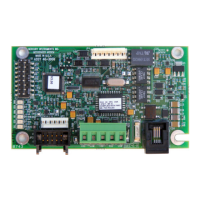
(Note: DIP Switch as viewed when RJ11 connector is at bottom-right of board)


 To Next Page