English
2
2 Install Driver
A: Insert the CD and run Autorun.exe.
Note: You can also download the driver at www.mercusys.com.
B: Select your adapter and follow the instructions to
complete installation.
3 Join a Wireless Network
After installation, connect your computer to a
wireless network via Windows wireless utility
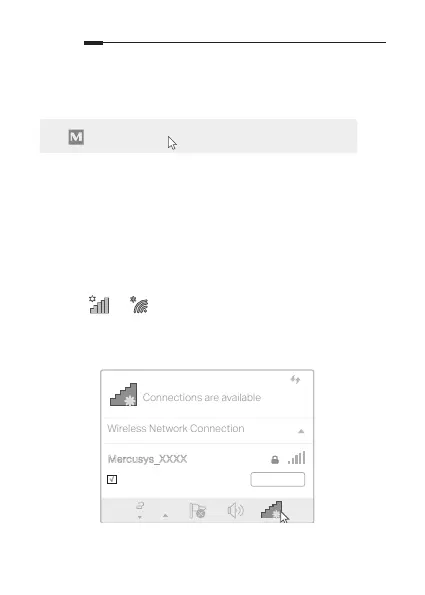
A: Click or (network icon) on the taskbar.
B: Select your Wi-Fi network, click Connect and enter
the password when prompted.
Autorun.exe
Connections are available
Wireless Network Connection
Connect automatically
Connect
√
Mercusys_XXXX


 To Next Page
 Loading...






