EasyManua.ls Logo

Meridian 206 - User Manual

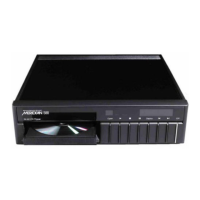
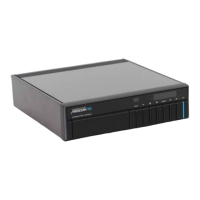
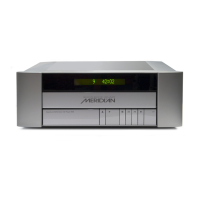
Meridian 206
13 pages
Print Icon
To Next Page IconTo Next Page
Loading...
Question and Answer IconNeed help?

Do you have a question about the Meridian 206 and is the answer not in the manual?

Summary

Introduction to Meridian 206

About this manual

Explains manual structure, key names, and status indicators for clarity.

About the 200-Series

Describes the Meridian 200-Series hi-fi equipment and its capabilities.

Unpacking and Accessories

Unpacking the 206

Instructions for unpacking the Meridian 206 Compact Disc Player.

Available Accessories

Lists available accessories and provides information on how to order them.

Installation Guide

General Installation Precautions

Advises on general safety precautions before installation, such as checking voltage.

Transit Collar Removal

Instructions for removing the transit collar for first-time use and storing it safely.

Audio System Connections

Details how to connect the 206 to an audio system, covering analogue and digital options.

System Component Interconnects

Guides for connecting the 206 to specific Meridian components and other systems.

Setup and Siting

Siting Recommendations

Guidelines for optimal placement of the 206 to avoid interference and ensure performance.

Initial Setup and Power On

Covers checking connections, powering on, and initial setup procedures.

Standby Operation and Remote Control

Explains standby mode, remote control battery fitting, and power-on checks.

Basic Operation

Front Panel Controls Overview

Describes the display, disc drawer control, and standby functions on the unit.

Disc Loading and Playback

Step-by-step guide to loading and playing a Compact Disc from the beginning.

Track and Playback Management

Instructions for selecting, moving to, restarting, pausing, and stopping tracks.

Remote Control Operations

Standard Remote Control Functions

Using the remote for playing discs and navigating tracks.

Advanced Remote Control Features

Covers moving tracks, replaying, pausing, stopping, and scanning with the remote.

209 Remote Control Usage

Specific functions for restarting tracks and continuous repeat using the 209 remote.

Advanced Operation and Programming

Index Point Navigation

Accessing specific index points on a disc for playback.

Custom Playback Programming

Creating custom playback sequences by selecting and ordering tracks.

Programming and Cancellation

Managing programmed playback sequences and excluding tracks.

Operation Summary

Front Panel Controls Summary

Summary of controls and functions on the Meridian 206 front panel.

Remote Control Functions Overview

Summary of functions available via the standard and 209 remote controls.

Compact Disc Technology

Troubleshooting and Help

Power and Standby Issues

Troubleshooting steps if the standby key is not illuminated or power is absent.

Drawer and Disc Playback Problems

Resolving issues with the disc drawer not opening or discs failing to play.

Radio Interference Mitigation

Information and solutions for radio frequency interference issues.

Maintenance and Specifications

Maintenance and Service Advice

Guidance on servicing, returning the unit, and recommended maintenance.

Cleaning Procedures

Instructions for cleaning the unit's exterior, display, and connectors.

Technical Specifications

Detailed technical specifications including frequency response, dimensions, and weight.

Index

Summary

Introduction to Meridian 206

About this manual

Explains manual structure, key names, and status indicators for clarity.

About the 200-Series

Describes the Meridian 200-Series hi-fi equipment and its capabilities.

Unpacking and Accessories

Unpacking the 206

Instructions for unpacking the Meridian 206 Compact Disc Player.

Available Accessories

Lists available accessories and provides information on how to order them.

Installation Guide

General Installation Precautions

Advises on general safety precautions before installation, such as checking voltage.

Transit Collar Removal

Instructions for removing the transit collar for first-time use and storing it safely.

Audio System Connections

Details how to connect the 206 to an audio system, covering analogue and digital options.

System Component Interconnects

Guides for connecting the 206 to specific Meridian components and other systems.

Setup and Siting

Siting Recommendations

Guidelines for optimal placement of the 206 to avoid interference and ensure performance.

Initial Setup and Power On

Covers checking connections, powering on, and initial setup procedures.

Standby Operation and Remote Control

Explains standby mode, remote control battery fitting, and power-on checks.

Basic Operation

Front Panel Controls Overview

Describes the display, disc drawer control, and standby functions on the unit.

Disc Loading and Playback

Step-by-step guide to loading and playing a Compact Disc from the beginning.

Track and Playback Management

Instructions for selecting, moving to, restarting, pausing, and stopping tracks.

Remote Control Operations

Standard Remote Control Functions

Using the remote for playing discs and navigating tracks.

Advanced Remote Control Features

Covers moving tracks, replaying, pausing, stopping, and scanning with the remote.

209 Remote Control Usage

Specific functions for restarting tracks and continuous repeat using the 209 remote.

Advanced Operation and Programming

Index Point Navigation

Accessing specific index points on a disc for playback.

Custom Playback Programming

Creating custom playback sequences by selecting and ordering tracks.

Programming and Cancellation

Managing programmed playback sequences and excluding tracks.

Operation Summary

Front Panel Controls Summary

Summary of controls and functions on the Meridian 206 front panel.

Remote Control Functions Overview

Summary of functions available via the standard and 209 remote controls.

Compact Disc Technology

Troubleshooting and Help

Power and Standby Issues

Troubleshooting steps if the standby key is not illuminated or power is absent.

Drawer and Disc Playback Problems

Resolving issues with the disc drawer not opening or discs failing to play.

Radio Interference Mitigation

Information and solutions for radio frequency interference issues.

Maintenance and Specifications

Maintenance and Service Advice

Guidance on servicing, returning the unit, and recommended maintenance.

Cleaning Procedures

Instructions for cleaning the unit's exterior, display, and connectors.

Technical Specifications

Detailed technical specifications including frequency response, dimensions, and weight.

Index

Meridian 206 Specifications

General IconGeneral
TypeCD Player
FormatsCD
Digital-to-Analog Converter16-bit
Frequency Response20Hz - 20kHz
Signal-to-Noise Ratio>90dB
Weight5.5 kg
Output Voltage2V RMS
Channels2 (stereo)
OutputAnalog RCA
Transport MechanismPhilips CDM4/19

Related product manuals