EasyManua.ls Logo

Meridian 588 - User Manual

Meridian 588
41 pages
Print Icon
To Next Page IconTo Next Page
Loading...
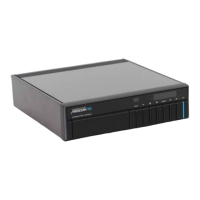
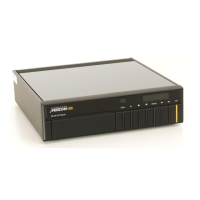
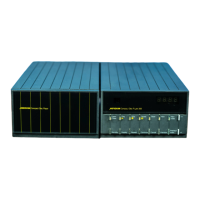
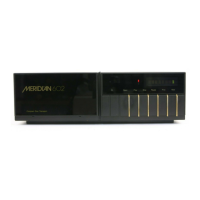
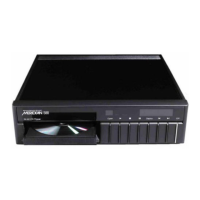
Meridian 588 Compact Disc Player
user guide

Questions and Answers

  • G
    gsmithJul 26, 2025
    What to do if Meridian 588 CD Player shows error when programming a selection?
    • M
      Michelle JacobsJul 26, 2025
      If the display of your Meridian CD Player shows 'Error' when programming a selection, verify that the disc includes the track number you are trying to program and that you have not already programmed the maximum of 31 tracks.
  • C
    Claudia BraunAug 3, 2025
    What to do if my Meridian 588 says no disc?
    • K
      Kimberly WongAug 3, 2025
      If your Meridian CD Player displays 'No disc' when you try to play a disc, check that the disc is correctly positioned in the drawer.
  • B
    brittney39Aug 10, 2025
    Why does one remote press cause multiple entries on my Meridian 588?
    • C
      codygomezAug 10, 2025
      If a single key press on the remote of your Meridian CD Player results in multiple entries, it might be because another Meridian unit on the Comms bus is also sending the command. Check that the auto setup procedure worked correctly.
  • L
    lisahuynhAug 17, 2025
    How to troubleshoot no lights on Meridian 588?
    • F
      Fernando NguyenAug 17, 2025
      If your Meridian CD Player shows no lights when you turn it on, make sure the AC power supply is correctly connected and the ON/OFF switch on the back panel is in the ON position.

Summary

Introduction

Specification and accessories

Lists technical specifications and available accessories for the Meridian 588 Compact Disc Player.

Using the compact disc player

Switching on and off

Explains how to switch the Meridian 588 CD Player on from standby and to standby.

Playing a disc

Provides instructions on how to play an entire disc or start playing from a specific track.

Setting up the compact disc player

Connecting the compact disc player

Explains the back panel connections and details the analogue and digital outputs for system connection.

Configuring the compact disc player

Choosing standard settings

Explains how to restore the default Type 1 configuration settings for the Meridian 588.

Troubleshooting Guide

Common Issues

Provides suggested solutions for common problems like no lights or no sound when operating the player.

Meridian 588 Specifications

General IconGeneral
TypeCD Player
Total Harmonic Distortion<0.002%
Digital Outputs1 coaxial, 1 optical
Analog OutputsRCA
Frequency Response20Hz - 20kHz
DAC24-bit

Related product manuals