Need help?
Do you have a question about the Meridian 508 and is the answer not in the manual?
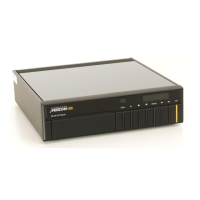
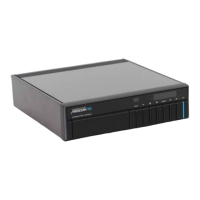
Describes the Meridian 500 Series of digital, analogue, and video components for high quality audio systems.
Illustrates system configurations using the 508 CD Player and other Meridian components like amplifiers and loudspeakers.
Details the technical specifications of the 508 CD Player and lists available accessories like the system remote.
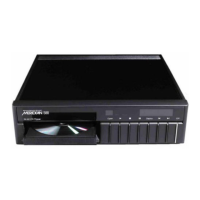
Identifies and describes the function of each button on the Meridian 508 CD Player's front control panel.
Explains how to turn the CD player on from standby and how to switch it to standby mode.
Details how to play an entire disc, start from a specific track, or restart the current track.
Covers how to stop, pause, resume play, and set the disc to play repeatedly.
Guides on creating a custom playback sequence by selecting tracks to play or exclude.
Explains how to change the display information and how to scan through a disc using the remote.
Details how to display index numbers and move to specific points within a track on compatible discs.
Describes how to review and change the analogue output signal's absolute phase for improved realism.
Lists the components included in the box and advises on retaining packaging for future transport.
Provides guidelines on where to place the CD player, avoiding direct sunlight, heat sources, and amplifiers.
Details the analogue and digital outputs on the back panel and recommends connection methods.
Explains how to connect Meridian 500 Series units using COMMS sockets and the automatic setup procedure.
Details how to connect the CD player to a Meridian 501 Control Unit using audio leads and COMMS.
Describes how to configure 500 Series units for 200 COMMS operation when connecting to Meridian 600 or 200 Series.
Explains connecting the CD player to Meridian DSP6000 or DSP5000 loudspeakers via the digital output.
Provides checks for when the CD player's display and indicator lights do not turn on.
Offers solutions for when the CD player's disc drawer fails to open, including checking standby status.
Lists checks for no audio output, including amplifier settings, connections, and source selection.
Offers measures to resolve interference issues with radio or television reception when the CD player is on.
Explains checks for the 'No disc' message, including disc placement and condition.
Provides reasons for the 'Error' message during programming, like track limits or disc issues.
Provides instructions for cleaning the CD player's case, display, keypad, and audio connections.
Details the procedure for accessing and replacing the mains fuse, including locating the spare.
Explains how to obtain service for the CD player, including return procedures and contact points.
Outlines the terms and conditions of the product guarantee, including coverage and limitations.

 To Next Page
 General