Operating the Media Drive 600
To switch on the Media Drive 600
Briefly press the Power On/Off button on the front panel.
The button will be illuminated blue while the unit is starting up,
and will then remain illuminated white when it is ready for use.
To switch off the Media Drive 600
Briefly press the Power On/Off switch on the front panel.
The button will be illuminated blue while the unit is shutting down.
Do not disconnect power until the indicator is completely off.
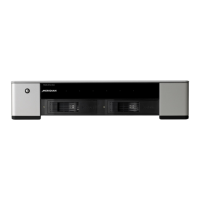
Front panel
The front panel has a Power On/Off button with indicator and
six warning indicators numbered 1 to 6 from left to right:
Indicator Description
1 Error
Contact your Meridian dealer.
2 Temp
Product overheating. Contact your
Meridian dealer.
3 CPU
The CPU is running at greater than 80%
usage. If this occurs frequently contact
your Meridian dealer for advice.
4 RAID1
The left-hand RAID drive has failed and
should be replaced.
5 RAID2
The right-hand RAID drive has failed and
should be replaced.
6 Ethernet
The Ethernet cable is not detected.
Check the cable and connection.
If the RAID1 and RAID2 indicators are flashing alternately,
one of the drives is being restored.
If indicators 1-6 are flashing, two new drives have been inserted
and the drives are being initialized with a new file system.
•
•
Replacing a drive
The Media Drive 600 has two user replaceable hard drives that
can be accessed by the front panel doors.
NOTE: These drives are not hot-swappable.
If the warning indicators indicate that a drive has failed, replace
it as follows:
Switch off the Media Drive 600 by pressing the Power On/
Off button on the front panel, and wait until the indicator is
completely off.
Remove the faulty drive and replace with a new drive of the
same capacity.
Press the Power On/Off button.
While the new drive is being restored the RAID1 and RAID2
indicators will flash alternately.
•
•
•


 To Next Page