EasyManua.ls Logo

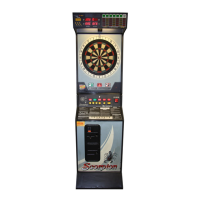
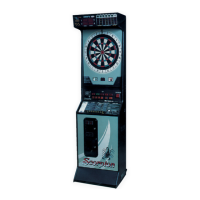
Merit SCORPION 9000 - User Manual

Merit SCORPION 9000
23 pages
Print Icon
To Next Page IconTo Next Page
Loading...
PM1717-0C
FOR TECHNICAL ASSISTANCE
CONTACT:
Merit Industries, Inc. Customer Service Department
USA and Canada call toll-free:
1-800-445-9353
Outside the USA and Canada call: (215) 639-4700
FAX: (215) 639-5346
2525 State Rd., P.O. Box 8529, Bensalem, PA 19020-8529
SCORPION
9000
Owner’s Guide
Question and Answer IconNeed help?

Do you have a question about the Merit SCORPION 9000 and is the answer not in the manual?

Summary

Site Preparation

Set-Up and Installation

Floor Model Installation

Step-by-step guide for installing the game on the floor.

Disassembly of Target from Base

Instructions for detaching the target section from the base.

Wall Mount Installation

Reassembly of Target to Base

Disconnecting the Cancel Game Feature

Game Operation

Target Alarm

Explanation of the target alarm feature and how to disable it.

Clearing Credits

Procedure to clear credits from the game.

Free Play

How to enable or disable the free play mode.

Factory Dip Switch Settings

DIP Switch #1

Settings for normal game play and cricket modes.

DIP Switch #2 A - Program 4978-XX

Settings for variable overhead display.

DIP Switch #2 B - Program 4779-XX

Settings for fixed overhead display.

Game Options and Round Limits Tables

Round Limits Table 1 Program 4978-XX

Round limits for various games in program 4978-XX.

Round Limits Table 2 Program 4779-XX

Round limits for various games in program 4779-XX.

Testing Your Game

Power Up Tests

Internal tests performed when the game is powered on.

Operator-selectable Tests

How to enter and navigate the game's test modes.

Test 00 - Custom Coin Setup;Books Display

Setup for coin mechs, credits, and game pricing.

Special Coin;Credit Setting (US version only)

Custom Counter Setup

Game Pricing Setup

Alternate Pricing (Happy Hour)

Current Books Count

Lifetime Books Counts

Game Popularity

Solo Challenger Popularity

Set Delay

Bonus Spin

Promotional Credit

01 and Cricket Round Limit Setup*

Hi-Score Round Limits Setup

Date Setup

Clock Setup

Happy Hour Setup

7 Segment Display, LED and Lamp Tests

Target Test

Button;Lamp Test

Missed Dart;Auto Player Change Test

DIP Switch Test

Program Version Display

Coin Mechs Test

Clearing Books;Reset Mode

Maintenance

Bulb Replacement

Instructions for replacing various light bulbs in the game.

Target Maintenance

Procedures for removing broken dart tips from the target.

Cleaning the Cabinet

Guidelines for cleaning the game cabinet and display.

Troubleshooting

No sound, overhead display or overhead light.

Actions to resolve issues with sound and display.

Sound and overhead display function, but no overhead light.

Troubleshooting steps for no overhead light with sound/display.

No power up sound or overhead display, but overhead lamp turns on.

Diagnosing power-up issues when the overhead lamp is on.

Power-up sound & overhead lamp function, but no overhead display.

Troubleshooting no overhead display with sound and lamp.

No sound.

Steps to resolve issues with no game sound.

RAM reset on every power-up.

Diagnosing persistent RAM reset errors.

No push-button lamps light.

Troubleshooting when push-button lamps do not illuminate.

Individual overhead LEDs do not light.

Steps to fix individual overhead LEDs not lighting.

Some or no buttons or coin inputs work on the STG01 board.

Diagnosing issues with buttons or coin inputs on the STG01 board.

Coin jam display.

Troubleshooting coin jam errors and displays.

Stuck segment display.

Resolving issues with stuck target segments.

No missed darts detected, auto player change not working.

Troubleshooting missed dart detection and auto player change.

Player change works but no missed darts are detected.

Diagnosing missed dart detection when player change works.

Automatic player change does not work.

Steps to fix the automatic player change feature.

Only some missed darts are detected.

Troubleshooting partial missed dart detection.

Scorpion 9000 Spare Parts List (Floor Model)

Cabinet and Hardware Parts

List of cabinet and hardware components.

Harnesses and Cables

List of internal harnesses and cables.

Accessories

List of optional accessories and decals.

Target Parts

List of parts related to the dart target.

Segment Kits for Black Spiders

Segment kits for black spider assemblies.

Decals and Displays

List of decals and display components.

Coin Mechs (without Harnessing)

List of coin mechanisms.

Electrical;Electronic Components

List of electronic and electrical parts.

Scorpion 9000 Spare Parts List (contd)

Lamps and Switches

List of bulbs and switches for the game.

Scorpion 9000 Spare Parts List (Wall Mount Model)

Cabinet and Hardware Parts

Cabinet and hardware parts for wall mount.

Harnesses and Cables

Harnesses and cables for wall mount.

Accessories

Accessories for wall mount.

Target Parts

Target parts for wall mount.

Segment Kits

Segment kits for wall mount.

Decals and Displays

Decals and displays for wall mount.

Coin Mech Parts

Coin mech parts for wall mount.

Lamps and Switches

Lamps and switches for wall mount.

Electrical;Electronic Components

Electrical and electronic components for wall mount.

Merit Limited Warranty for Coin Operated Dart Machines

FCC Warning:

Merit SCORPION 9000 Specifications

General IconGeneral
BrandMerit
ModelSCORPION 9000
CategoryArcade Game Machines
LanguageEnglish

Related product manuals