Need help?
Do you have a question about the Merits P326A Vision Sport and is the answer not in the manual?
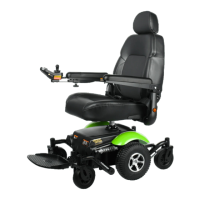
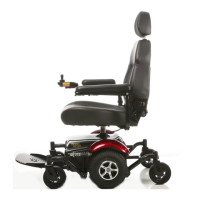
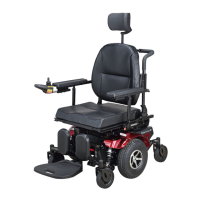
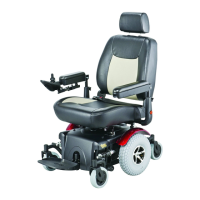
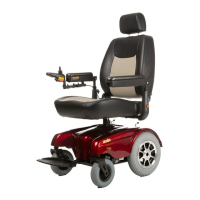
Illustrates and labels the main components of the powerbase wheelchair.
Details technical specifications like model, dimensions, weight, speed, and components.
Defines key terms used in the manual for components and operations.
Provides step-by-step instructions for removing the seat and battery.
Details how to adjust the seat height using a wrench and bolt.
Covers adjustments for armrest angle, footrest angle, headrest height, and joystick position.
Details how to turn the DK-REMDO1 controller on and off using the power button.
Explains how to adjust the chair's top speed using Increase/Decrease buttons and modes.
Covers using the speedometer, horn, and battery gauge on the controller.
Explains the service indicator light and how to use the joystick for control.
Introduces the components of the Dynamic Shark controller system and its main parts.
Explains the primary source of user feedback displayed by the SHARK Information Gauge.
Explains how the SHARK Power Module communicates with the Control Unit via the Communications Bus.
Explains the on/off button, battery gauge, and control system status indications.
Shows wiring diagrams and connections for the VR2 power module, including motors, battery, and actuators.
Covers battery break-in procedures and important information for battery maintenance and longevity.
Provides procedures for charging the wheelchair batteries safely and efficiently, including indicator meanings.
Details the warranty terms, coverage period, and exclusions for the wheelchair product.
Provides fields for registering the product warranty, including model, serial, and purchase details.
Explains how to perform a load test on the batteries using a battery load-tester for diagnosis.
Describes how to test the battery voltage using a voltmeter as a diagnostic step.
 General
| Maximum Speed | 5 mph |
|---|---|
| Frame Material | Steel |
| Footrest Style | Swing-Away |
| Folding | No |
| Weight Capacity | 300 lbs |
| Seat Depth | 16 inches |
| Seat Width | 18 inches |


 To Next Page