EasyManua.ls Logo

Merlin Tiltmaster MT100EVO - User Manual

Merlin Tiltmaster MT100EVO
24 pages
Print Icon
To Next Page IconTo Next Page
Loading...
Owners Copy: SAVE THESE INSTRUCTIONS for future reference
MT100EVO
Sectional and Tilt Garage Door Opener
Installation and Operating Instructions
This manual contains IMPORTANT SAFETY information
DO NOT PROCEED WITH THE INSTALLATION BEFORE READING THOROUGHLY
gomerlin.com.au
gomerlin.co.nz
Question and Answer IconNeed help?

Do you have a question about the Merlin Tiltmaster MT100EVO and is the answer not in the manual?

Summary

Safety Instructions

General Safety Precautions

Covers balanced door, clothing, entanglement, manual release, wiring compliance, and general operating safety.

Protector System Safety

Details the use, placement, and importance of the Protector System™ for safety.

Child Safety & Operation Rules

Emphasizes keeping children away from the door and its controls.

Installation Preparation

Before You Begin Checklist

Covers initial checks for structural support, access doors, and door balance testing.

Header Bracket Installation

Header Bracket Positioning

Explains how to determine the correct placement based on door type and travel.

Installing the Header Bracket

Guides on securing the bracket to the structural support on the wall or ceiling.

Opener Hanging and Door Bracket

Door Arm and Manual Release

Operating the Manual Release

Instructions for manual door operation during power outages or emergencies.

Programming Travel Limits and Force

Setting Travel Limits

Guides on programming the fully open and fully closed positions.

System Testing and Settings

Testing the Safety Reverse System

Critical safety test to ensure the door reverses on contact with an obstacle.

Optional Accessory Installation

Installing The Protector System

Details the installation of the safety beam sensors.

Wireless Programming

Matching Transmitter Codes

Process for programming remote controls and keypads to the opener.

Opener Operation and Maintenance

Troubleshooting Common Issues

Opener Not Operating

Addresses problems related to power, door locks, obstructions, and broken springs.

Remote Control Issues

Covers problems like short remote range and non-responsive remotes.

Door Reversal and Straining

Addresses unexpected door reversal and motor strain issues.

Diagnostic Chart

Understanding Diagnostic Codes

Explains how UP/DOWN arrow flashes indicate specific error codes and their resolutions.

Technical Specifications

Chamberlain Limited Warranty

Warranty Coverage Details

Explains what parts are covered and the duration of the warranty.

Warranty Exclusions and Conditions

Lists conditions and exclusions that can void the warranty.

Summary

Safety Instructions

General Safety Precautions

Covers balanced door, clothing, entanglement, manual release, wiring compliance, and general operating safety.

Protector System Safety

Details the use, placement, and importance of the Protector System™ for safety.

Child Safety & Operation Rules

Emphasizes keeping children away from the door and its controls.

Installation Preparation

Before You Begin Checklist

Covers initial checks for structural support, access doors, and door balance testing.

Header Bracket Installation

Header Bracket Positioning

Explains how to determine the correct placement based on door type and travel.

Installing the Header Bracket

Guides on securing the bracket to the structural support on the wall or ceiling.

Opener Hanging and Door Bracket

Door Arm and Manual Release

Operating the Manual Release

Instructions for manual door operation during power outages or emergencies.

Programming Travel Limits and Force

Setting Travel Limits

Guides on programming the fully open and fully closed positions.

System Testing and Settings

Testing the Safety Reverse System

Critical safety test to ensure the door reverses on contact with an obstacle.

Optional Accessory Installation

Installing The Protector System

Details the installation of the safety beam sensors.

Wireless Programming

Matching Transmitter Codes

Process for programming remote controls and keypads to the opener.

Opener Operation and Maintenance

Troubleshooting Common Issues

Opener Not Operating

Addresses problems related to power, door locks, obstructions, and broken springs.

Remote Control Issues

Covers problems like short remote range and non-responsive remotes.

Door Reversal and Straining

Addresses unexpected door reversal and motor strain issues.

Diagnostic Chart

Understanding Diagnostic Codes

Explains how UP/DOWN arrow flashes indicate specific error codes and their resolutions.

Technical Specifications

Chamberlain Limited Warranty

Warranty Coverage Details

Explains what parts are covered and the duration of the warranty.

Warranty Exclusions and Conditions

Lists conditions and exclusions that can void the warranty.

Overview

This document provides installation and operating instructions for the Merlin tiltmaster MT100EVO Sectional and Tilt Garage Door Opener. It emphasizes safety throughout the installation and operation process, urging users to read all instructions carefully to prevent personal injury or property damage. The opener is designed to offer safe service when installed and operated in strict accordance with the manual.

Function Description

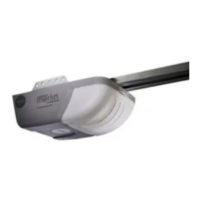
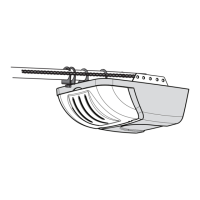
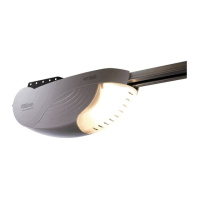
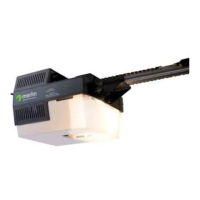
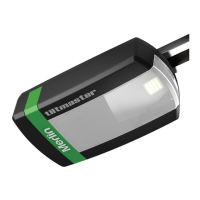
The Merlin tiltmaster MT100EVO is a garage door opener designed for spring-balanced residential sectional and tilt doors up to 20 m². It automates the opening and closing of garage doors, offering convenience and enhanced security. The opener utilizes a belt drive system with a one-piece trolley on a steel rail. It features automatic force adjustment and mechanical passpoint/RPM sensor for precise operation. The opener also includes a soft-start/soft-stop function for smoother door movement.

Usage Features

  • Door Types: The opener is compatible with various door types, including sectional doors with curved tracks, one-piece doors with horizontal tracks only, one-piece doors without tracks, and J-type tilt door fittings. For J-type tilt doors, it's crucial to use PIVOT POSITION No. 1 during installation to ensure proper operation.
  • Control Panel: The control panel, located under the cover at the rear of the opener, provides access to various functions. It includes UP and DOWN buttons for initial programming and door movement, a PROG button for setting door limits and other features, and a LEARN button for programming remote controls and manually learning forces. An indicator LED provides visual feedback on programming modes. A green button allows for door activation (open/stop/close) via finger access through a hole in the access cover, useful when remote controls are unavailable.
  • Manual Release: The opener is equipped with a manual release mechanism, identified by a red cord and handle, to allow for manual operation of the garage door during power outages or emergencies. It's important to use this feature only when the door is fully closed, if possible, and to be aware that uncontrolled door movements may occur if springs are weak, broken, or the door is unbalanced. The release handle should be mounted at a height less than 1.8 m from the floor. To disengage, pull the handle down once. To re-engage, press the green button in the center of the trolley assembly.
  • Travel Limits and Force Settings: The travel limits regulate the points at which the door stops when moving up or down. These are programmed using the PROG, UP, and DOWN buttons on the control panel. The opener uses a position tab on the belt to activate a mechanical passpoint during door travel, which is essential for programming travel limits. Force settings can be set automatically or manually. Incorrect adjustment of travel limits can interfere with the safety reversal system, and force adjustments should never be used to compensate for a binding or sticking garage door.
  • Safety Reverse System: A critical safety feature, the safety reverse system ensures the garage door reverses on contact with a 40 mm obstacle placed on the floor. This test should be performed monthly and adjustments made as needed.
  • Travel Speed (Optional): The opener offers two travel speeds: regular and slow. The speed is automatically selected based on the door's travel distance (longer than 2 meters for regular, shorter than 2 meters for slow, suitable for tilt doors). Users can manually activate an alternate speed by pressing and holding both UP and DOWN arrows for 3 seconds.
  • Low Standby Mode (Optional): The opener comes with a factory-activated Low Standby Mode (sub 1 watt) to minimize power consumption. In this mode, external accessories power and IR beams are turned off when the door is closed, and the courtesy light is off. Normal Standby Mode can be activated for external accessories power.
  • Partial Opening Feature (PET): This adjustable second stop position allows for ventilation, pedestrian, or pet access. It is programmed to the remote control. To activate, the door is driven up to the desired PET access position, then programmed using the PROG and UP buttons, followed by pressing an allocated remote control button.
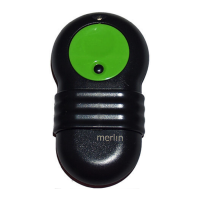
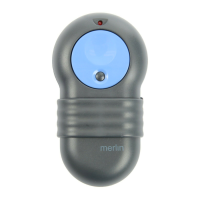
  • Wireless Programming: The opener supports wireless programming for additional transmitters and a wireless wall button (E138M). The supplied transmitter(s) and wall button are pre-programmed. New remotes can be programmed using the yellow "LEARN" button on the opener. All remote control codes can also be erased. A wireless keypad (E840M) can be programmed with a 4-digit personal identification number (PIN) for keyless entry.
  • The Protector System™ (Optional): This accessory is highly recommended, especially for homeowners with young children. It uses IR beams to prevent the door from closing if a person or object is in the beam area. If the door is already closing, it will return to the open position. The system should be installed no higher than 100 mm above the floor. If installed and later removed, the opener will need to be reprogrammed.
  • Timer to Close Feature (TTC): This feature allows the door to automatically close from a fully open position after a specified time (10 to 180 seconds in 10-second increments). It requires The Protector System™ (IR Beams) to be installed. If an obstruction is encountered while closing, the door will stop and return to the UP position.

Maintenance Features

  • Monthly Care:
    • Manually operate the door to check for balance or binding. If issues are found, a qualified door technician should be called.
    • Ensure the door opens and closes fully. Adjust limits and/or force if necessary.
    • Repeat the safety reverse test and make any necessary adjustments.
  • Annual Care:
    • Lightly grease the belt and the inside of the rail assembly where the trolley slides. Internal lubrication of the opener is not required. Users should be careful and wear gloves when working around sharp metal edges or the rail.
  • Battery Replacement in Remotes: The remote control batteries have a long life, but should be replaced if the transmission range decreases. The manual provides instructions for replacing CR2032 batteries in standard remotes and for optional E943M, E940M & E945M transmitters. Important safety warnings regarding batteries are included, such as keeping them away from children, proper disposal, and avoiding short-circuiting or exposure to excessive heat.

Merlin Tiltmaster MT100EVO Specifications

General IconGeneral
Motor TypeDC
Max Door Weight100 kg
ManufacturerMerlin
ModelMT100EVO
Remote Controls2
Safety FeaturesAutomatic Safety Reverse
TypeResidential garage door opener
Drive TypeBelt
Remote ControlE945M Keyring Transmitter
Battery BackupOptional

Related product manuals