EasyManua.ls Logo

Merlin Commander Extreme MS125MYQ - User Manual

Merlin Commander Extreme MS125MYQ
24 pages
Print Icon
To Next Page IconTo Next Page
Loading...
Owners Copy: SAVE THESE INSTRUCTIONS for future reference
MS125MYQ
(MS125MYQC25, MS125MYQX24, MS125MYQX30)
Sectional Garage Door Opener
Installation and Operating Instructions
This manual contains IMPORTANT SAFETY information
DO NOT PROCEED WITH THE INSTALLATION BEFORE READING THOROUGHLY
gomerlin.com.au
gomerlin.co.nz
Commander Extreme
Question and Answer IconNeed help?

Do you have a question about the Merlin Commander Extreme MS125MYQ and is the answer not in the manual?

Summary

Important Safety Instructions

Garage Door Balance and Maintenance

Ensure door is balanced and not binding; examine installation for wear.

Personal Safety Precautions

Wear gloves, goggles, and avoid loose clothing during installation to prevent injury.

Entanglement Hazard Prevention

Remove ropes, chains, and locks from the garage door before opener installation.

Compliance with Codes and Standards

Installation must comply with local building codes and AS/NZS 60335-2-95.

Safety Reverse System Testing

Test the safety reverse system monthly with a 40mm obstacle.

Manual Release and Emergency Operation

Proper use of the manual release cord for emergencies.

Protector System Recommendation

Recommends The Protector System for enhanced safety, especially with children.

Wall Control and Warning Label Placement

Guidelines for installing wall controls and warning labels for safety.

Safe Operation and Environmental Advice

Operate safely, keep path clear, avoid damp spaces, reinforce light doors.

Service Entrance Door Requirement

An outside quick release accessory is needed if no service entrance door is present.

Before You Begin Installation

Structural Assessment and Preparation

Check wall/ceiling supports and prepare for opener mounting.

Door Balance and Movement Test

Test door balance, check for binding, and maximum lift force.

Door Type Suitability

Sectional Door with Curved Track

Suitable for residential sectional doors up to 20 m².

Electrical Connection Requirements

Power Outlet Availability

A 240V GPO must be near the powerhead; it's not supplied with the opener.

Opener and Rail Components

Carton Contents List

Lists all parts included in the opener and rail cartons.

Installation Tools and Hardware

Required Tools for Installation

Lists tools needed for installation.

Provided Hardware Kit

Lists all hardware supplied with the opener.

Control Panel Overview and Functions

External Accessory Power Output

Provides power for universal receivers, active when door is open.

Terminal Block Functionality

Details connections for wired accessories like push buttons and sensors.

Key Button Operations

Explains UP, PROG, DOWN, LEARN buttons for programming and control.

Indicator LED and Manual Activation

LED indicates modes; Green button allows manual activation.

Assembly Procedures

Assembling Rail and Opener

Connects the rail assembly to the opener powerhead.

Tensioning the Drive Chain

Adjusts chain tension for proper operation.

Attaching Rail Assemblies

Secures both chain rail and X-rail assemblies to the opener.

Installation Steps

Header Bracket Positioning

Guidance on correctly locating the header bracket.

Installing the Header Bracket

Instructions for wall or ceiling mounting the header bracket.

Attaching Rail to Header Bracket

Connects the rail assembly to the mounted header bracket.

Opener Mounting and Hanging

Positioning for Sectional Doors

Specific placement advice for sectional door openers.

Hanging Opener with Chain Rail

Steps to hang the opener using the chain rail system.

Hanging Opener and Securing Door Bracket

Hanging Opener with X-Rail

Steps to hang the opener using the X-rail system.

Fastening the Door Bracket

Secures the door bracket to the garage door.

Door Arm and Manual Release Operation

Attaching Door Arm to Trolley

Connects the door arm components to the trolley.

Manual Release Procedure

How to disengage and re-engage the opener manually.

Adjustment and Limit Programming

Programming Travel Limits and Force

Sets the door's full open and close positions and operating force.

Automatic Force Setting Method

Guide to automatically setting the opener's force.

Manual Force Setting Method

Steps for manually learning and setting the opener force.

Safety Testing and Speed Configuration

Safety Reverse System Test

Verifies the safety reverse system functions correctly.

Travel Speed Selection

How to choose between NORMAL and SLOW door travel speeds.

Low Standby Mode Setup

Configures the opener for reduced standby power consumption.

Optional Safety and Transmitter Features

Protector System Installation Guide

Instructions for installing The Protector System (IR Beams).

Programming Opener Light Remotes

Links transmitters to control the courtesy light.

Timer and Wall Button Installation

Timer to Close (TTC) Feature

How to activate and set the automatic door closing timer.

Installing E138 M Wireless Wall Button

Guide to mounting the wireless wall control.

Labels and Partial Opening Setup

Warning Label Placement

Specifies where to affix safety warning labels.

Partial Opening Feature (PET)

Sets a secondary stop position for ventilation or access.

Wireless Programming and Keypad Setup

Adding Transmitter Codes

Programs additional remote controls or keypads to the opener.

Keypad PIN Management

Instructions for setting and changing the keypad entry PIN.

Opener Usage, Care, and Maintenance

Operating Your Garage Door Opener

How to use the opener with various controls and manually.

Routine Opener Care Schedule

Monthly and annual maintenance tasks for the opener.

Remote Control Battery Replacement

Guide on replacing batteries in remote controls.

Optional Accessories and Parts Identification

List of Available Accessories

Lists optional accessories for the opener.

Diagram of Replacement Parts

Visual reference for common replacement parts.

Detailed Replacement Parts

Opener Unit Components

Lists and illustrates replacement parts for the opener itself.

Rail Assembly Components

Lists and illustrates replacement parts for the rail assembly.

Troubleshooting Common Issues

Opener Not Responding

Solutions for when the opener doesn't operate via controls or remotes.

Remote Control Performance Issues

Addresses remote control range and functionality problems.

Unexpected Door Reversal or Stops

Diagnosing and resolving doors reversing unexpectedly or stopping mid-travel.

Autonomous Opener Operation

Troubleshooting the opener operating by itself.

Incomplete Door Travel or Operation Errors

Resolving issues where the door stops before closing or shows operation errors.

Opener Strain, Hum, or Carriage Movement Issues

Solutions for opener strain, humming, or carriage not moving.

Power Failure and Control Panel Diagnostics

Opener behavior during power loss and interpreting control panel error codes.

Diagnostic Code Reference

Troubleshooting Symptom-Code Chart

A chart mapping diagnostic codes to symptoms and their possible resolutions.

Technical Specifications

Opener Performance and Dimensions

Detailed electrical, mechanical, and dimensional specifications for the opener.

Limited Warranty Information

Warranty Exclusions and Voidance

Conditions and actions that will void the product's warranty.

Liability Limitations (AU;NZ)

Legal liability exclusions for Australia and New Zealand.

Service Centre Contact Details

Contact information for Chamberlain service centers.

Overview

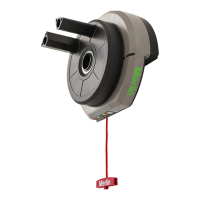
The Merlin Commander Extreme MS125MYQ is a sectional garage door opener designed for residential sectional doors up to 20 m². It is equipped with a battery backup system and is compatible with myQ technology, allowing for smart control and monitoring of your garage door.

Function Description

The Commander Extreme MS125MYQ operates by driving a chain or X-rail system to open and close the garage door. It features programmable travel limits, which define the door's stopping points in both the UP and DOWN positions. The opener also includes an automatic force setting that adjusts to the door's movement, ensuring safe and efficient operation. In cases where manual force adjustment is needed, a manual learn mode is available.

A crucial safety feature is the safety reverse system. The door is designed to reverse on contact with a 40 mm obstacle placed on the floor, preventing serious injury or property damage. Regular testing of this system is essential. The opener also supports the optional "The Protector System™" (IR Beams), which creates an invisible beam across the garage door opening. If this beam is broken while the door is closing, the door will reverse to the open position, providing an additional layer of safety, especially for homes with young children. This system is strongly recommended for all installations and is mandatory when the closing force exceeds 400 N (40 kgf) or when operating in SLOW speed mode for doors over 150 kg.

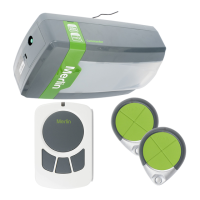
The opener can be activated using various devices, including the opener control panel (UP and DOWN buttons, Green O.S.C.), an outside keyswitch or keyless entry system (if installed), and remote control transmitters. The courtesy light on the opener illuminates when activated, when power is restored after an interruption, or when initially plugged in, and turns off automatically after 2.5 minutes.

Usage Features

The Commander Extreme MS125MYQ offers several features to enhance convenience and safety:

  • Manual Release: In case of power failure or emergency, the manual release mechanism allows the garage door to be operated by hand. To disengage, pull the red manual release rope and handle down. To re-engage, pull the rope towards the motor until it springs back to its horizontal position. It's important to use the manual release only when the door is closed, if possible, and to ensure no one is in the doorway when disengaging. The release handle should be mounted at a height less than 1.8 m from the floor.
  • Travel Limits Programming: The travel limits are set using the UP and DOWN arrow buttons and the PROG button on the control panel. The opener uses a position tab on the chain that activates a mechanical passpoint during door travel, indicated by a blinking LED. The door's UP and DOWN positions can be precisely adjusted to ensure adequate clearance and proper closure.
  • Force Setting: The opener automatically sets the force required to operate the door. However, a manual learn mode is available if needed. This involves pushing the yellow Learn button twice, then using a remote control or the UP/DOWN arrows to cycle the door through a full UP and DOWN cycle.
  • Travel Speed Selection: The opener offers two travel speeds: NORMAL and SLOW. The factory default is NORMAL speed. SLOW speed is recommended for doors with a total mass exceeding 150 kg, and "The Protector System™" must be installed when SLOW speed mode is selected. The speed can be toggled by pressing and holding both the UP and DOWN arrows for 3 seconds.
  • Low Standby Mode (Optional): This feature, activated by default, minimizes power consumption (sub 1 watt) when the door is closed and the courtesy light is off. In this mode, external accessories power and IR Beams are turned off. Normal Standby Mode can be activated to provide continuous power to external accessories.
  • Transmitter Programming: Remote control transmitters can be programmed to operate the opener and its courtesy light. The "LEARN" button on the opener is used for this process. Multiple transmitters can be programmed, and all remote control codes can be erased if needed.
  • Wireless Wall Button (E138M): This accessory can be programmed to operate the opener. It should be installed at a minimum height of 1.5 m above the floor and out of reach of children.
  • Timer to Close Feature (TTC): This optional feature automatically closes the door from a fully open position after a specified time (10 to 180 seconds in 10-second increments). It requires "The Protector System™" (IR Beams) to be installed. If an obstruction is encountered during closing, the door will stop and return to the UP position, and the courtesy lamp will flash 10 times.
  • Partial Opening Feature (PET): This adjustable second stop position is suitable for ventilation, pedestrian, or pet access. It can be programmed to a remote control button, allowing the door to open to a preset partial position.

Maintenance Features

Regular maintenance is crucial for the safe and reliable operation of your Merlin Commander Extreme MS125MYQ garage door opener:

  • Monthly Checks:
    • Manually operate the door to check for balance and binding. If the door is unbalanced or binds, a qualified door technician should be called.
    • Ensure the door opens and closes fully. Adjust limits and/or force if necessary.
    • Repeat the safety reverse test monthly and make any necessary adjustments to ensure the door reverses on contact with a 40 mm obstacle.
  • Annual Checks:
    • Lightly grease the chain and the inside of the rail assembly where the trolley slides. Use gloves to protect against sharp metal edges. The opener's internal components do not require additional lubrication.
  • Battery Replacement: The batteries in remote controls have a long life, but should be replaced if the transmission range decreases. Use identical or equivalent CR2032 type batteries and observe polarity. Dispose of old batteries properly at designated collection points.
  • Warning Labels: Permanently fasten the provided warning labels in prominent places: one near the fixed Wall Control (Risk of entrapment), one on the manual release cord (Emergency Release/Service label), and one on a low inside panel of the door (WARNING Child Entrapment). These serve as reminders of safe operating procedures.
  • Door Installation Examination: Frequently examine the door installation, paying particular attention to cables, springs, and mountings for signs of wear, damage, or imbalance. If repair or adjustment is needed, do not use the opener, as springs and hardware are under extreme tension and can cause serious personal injury.
  • Electrical Connection: Ensure the opener is connected to a properly fused and earthed 240 V General Purpose Outlet (GPO) in close proximity to the powerhead.
  • Obstruction Removal: Before operating the opener, ensure the door's path is clear of obstructions.
  • Professional Service: If the supply cord is damaged, it must be replaced by the manufacturer, its service agent, or similarly qualified persons to avoid hazards. For complex issues or diagnostic codes, contact a trained service specialist.

Merlin Commander Extreme MS125MYQ Specifications

General IconGeneral
ManufacturerMerlin
Product NameCommander Extreme MS125MYQ
CategoryGarage Door Opener
Motor TypeDC
MyQ CompatibilityYes
Horsepower1.25 HP
Safety FeaturesAuto-reverse, photoelectric sensors
SecurityRolling code technology

Related product manuals