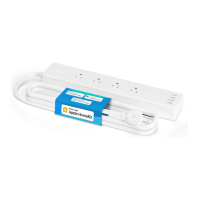
This document serves as a user manual for a Meross smart plug, providing essential information for its safe use, installation, and operation.
Function Description
The Meross smart plug is a device designed to allow users to control various household appliances remotely. It enables the transformation of ordinary electrical outlets into smart outlets, providing convenience and energy management capabilities. The smart plug can be turned ON or OFF via a physical button on the device or through a connected smartphone or tablet using the Meross app. It supports integration with popular voice assistants like Google Assistant and Amazon Alexa, allowing for voice-activated control of connected devices. The smart plug is capable of controlling a range of small appliances, including lights, fans, humidifiers, and portable heaters, provided they conform to the smart plug's output specifications.
Usage Features
The Meross smart plug offers several features to enhance user experience and control:
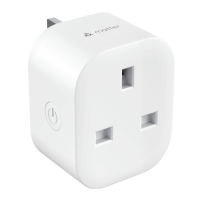
- Power Button: A physical button on the smart plug allows users to manually turn the connected appliance ON or OFF. This provides a direct control option independent of the app or voice assistants.
- Factory Reset: The smart plug can be factory reset by pressing and holding the power button for 5 seconds. This action causes the LED to flash between amber and green, indicating that the reset process is underway. A factory reset can be useful for troubleshooting or reconfiguring the device.
- Status LED: An LED indicator provides visual feedback on the device's status:
- Solid amber: Indicates that the device is initializing or undergoing a firmware upgrade.
- Rapidly flashing green: Signifies that the device is connecting to Wi-Fi.
- Slowly alternating between amber and green: Means the device is ready to pair with the Meross app.
- Solid green: Confirms that the device is successfully connected to the home Wi-Fi network and has been paired.
- Solid red: Indicates a lack of internet connection.
- OFF: Suggests that the receptacle is not powered on or the smart plug itself is turned off.
- Meross App Control: The primary method of control is through the Meross app, available for download on the App Store, Google Play, and Amazon apps. Users can launch the app, log in or create an account, and add the smart device by tapping the "+" icon and following the setup wizard. The app allows for comprehensive management of the smart plug, including scheduling, remote control, and automation.
- Voice Assistant Integration: The smart plug can be linked to Google Assistant and Amazon Alexa. After setting up the device in the Meross app, users can navigate to the "Account" section within the app to link their Meross account with Amazon Alexa or Google Assistant. This enables voice commands to control the smart plug and connected appliances.
- Apple Home App Compatibility: Once configured, the smart plug can also be managed within the Apple Home app, offering an additional layer of control for users within the Apple ecosystem.
- Relocation Flexibility: The smart device does not require additional setup operations if it is relocated within the same network and maintains a strong Wi-Fi signal. This provides convenience for users who might move the plug to different outlets within their home.
- Wide Appliance Compatibility: The smart plug is designed to control various small appliances, including lights, fans, humidifiers, and portable heaters, making it a versatile addition to a smart home setup.
Maintenance Features
While the manual does not explicitly detail "maintenance features" in the traditional sense, it provides guidance on troubleshooting and ensuring optimal performance:
- Firmware Upgrades: The status LED indicates when the device is undergoing a firmware upgrade (solid amber), suggesting that Meross provides updates to improve functionality and security. Users are encouraged to keep their iOS or iPadOS updated to the latest version for better user experience and compatibility with the smart device.
- Troubleshooting for "Solid Red" LED: If the LED turns solid red, indicating no internet connection, users are advised to:
- Check if their home Wi-Fi is working properly.
- Ensure that access control is disabled in their router and that the smart plug is not blocked by the router's firmware.
- Perform a factory reset of the Meross smart plug and attempt to add it again.
- Troubleshooting for Apple Home App Issues: If the Meross smart device is not responding in the Apple Home app, it is noted as an existing issue. Users are advised to exit and reboot their Home app to resolve the problem.
- Support Resources: Meross provides comprehensive support resources, including a website (https://www.meross.com/support/) for FAQs, warranty information, and product registration. This allows users to find solutions to common problems and access assistance when needed.
- Warranty: Meross products come with a 24-month limited warranty from the date of purchase, ensuring customer satisfaction and providing recourse for potential defects or issues. Details of the warranty policy and product registration are available on the Meross website.
- Safety Information: The manual emphasizes safety by recommending indoor use in dry locations, adherence to rated power specifications, and ensuring the device is fully plugged in and kept out of reach of children. These guidelines contribute to the longevity and safe operation of the device, minimizing the need for reactive maintenance due to misuse.
- Wi-Fi Network Requirements: For optimal performance, users are instructed to connect their smartphone or tablet to a 2.4 GHz Wi-Fi network during setup and ensure the smart device is covered by a strong Wi-Fi signal. This proactive measure helps prevent connectivity issues that might otherwise require troubleshooting.

 Need help?
 General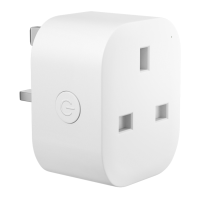

 To Next Page