Need help?
Do you have a question about the Meross MSS210 and is the answer not in the manual?
Use indoors, dry location, within rated power, out of reach of children.
Details the items included in the product package.
On/Off control and factory reset procedure via button press/hold.
Explains the different LED states (amber, green, red) and their meanings.
Requirements for connecting to 2.4 GHz Wi-Fi and device compatibility.
Steps for downloading, signing up, and adding the device via the app.
Procedures for moving the device to a new network location.
Instructions for connecting with Google Assistant and Amazon Alexa.
Addresses common user queries about device control and connectivity.
Information on the 24-month limited warranty and registration.
Notes on performance guarantees and limitations of liability.
This document is a user manual for a Meross smart plug, providing essential information for its safe use, installation, and troubleshooting.
The Meross smart plug is designed for indoor use in dry locations only. It is crucial to operate the device within its specified power ratings, which are detailed on the product packaging. For safety, ensure the smart plug is fully plugged into the receptacle and kept out of reach of children. Adhering to these safety guidelines helps prevent potential hazards and ensures the longevity of the device.
Each Meross smart plug package includes one smart plug unit and one user manual. The manual provides comprehensive instructions for setting up and using the device effectively.
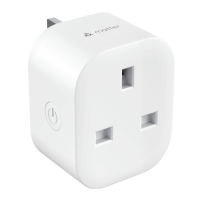
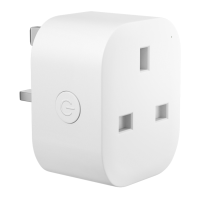
The smart plug features a power button and a status LED, each with specific functions and indicators:
Power Button: Pressing the power button toggles the smart plug ON or OFF. To perform a factory reset, press and hold the button for 5 seconds. The LED will flash between amber and green, indicating that the reset process is underway. This feature is useful for resolving connectivity issues or preparing the device for a new setup.
Status LED: The LED provides visual feedback on the smart plug's operational status:
To set up your Meross smart plug, follow these steps:
Note: After completing the configuration, you will be able to manage the device using the Apple Home app, providing an integrated experience for Apple users.
The Meross smart plug can be integrated with popular voice assistants for enhanced control:
This section addresses common questions and provides troubleshooting tips:
What devices can I control with Meross smart plug? The Meross smart plug can control a variety of small appliances, including lights, fans, humidifiers, and portable heaters. It is designed for devices that conform to its specifications, supporting up to a 13A output. Always ensure the connected appliance's power requirements do not exceed the smart plug's capacity.
What should I do when the LED turns solid red? A solid red LED indicates a lack of internet connection. To troubleshoot this issue:
Why is my Meross smart device not responding in the Apple Home app? If your Meross smart device is unresponsive in the Apple Home app, this is a known issue. To fix it, exit the Apple Home app completely and then reboot it. This often resolves temporary communication glitches. For more detailed FAQs and support, visit https://www.meross.com/support/faqs.
Meross products come with a 24-month limited warranty from the date of purchase. For comprehensive details on the warranty policy and product registration, please visit https://www.meross.com/support/warranty.
Customers acknowledge their understanding of these articles by reading this manual.
 General
| Connectivity | Wi-Fi |
|---|---|
| Max Load | 10A |
| Model | MSS210 |
| Color | White |
| Type | Smart Plug |
| Compatibility | Amazon Alexa, Google Assistant |
| App | Meross app |
| Wireless Standard | IEEE 802.11 b/g/n |
| Output | 10A |
| LED | Status indicator |
| Operating Temperature | 0°C to 40°C |
| Operating Humidity | 10%~90% RH |
| Certifications | FCC |
| Features | Remote control, scheduling, energy monitoring |
| Input | 100-125V~, 50/60Hz |
| Button | Physical power button |

 To Next Page