FRONT PANEL:
(Continued)
RECEIVE
(Loading)
PROGRAM/CHANNELPRESET
COPY
4
FLASHES
GAIN
OFF
IN
ON/LIFT
ON GROUND
MIDI IN JACK
REAR PANEL
DEFEAT /RECALL OF FACTORY PRESETS 01 -20
OUTPUT
RHY
LD1
LD2
SW
1 2 3 4
FX LOOP
5
6
7
8
9
10
4
3
2
1
0
A B
LOOP
SW
SHIFT
OOGIE
B
M
ESA
ALL TUBE PREAMPLIFIER
OUTPUT
RHY
LD1
LD2
SW
1 2 3 4
FX LOOP
A B
MODESHIFT
ALL TUBE PREAMPLIFIER
OOGIE
B
M
ESA
5
6
7
8
9
10
4
3
2
1
0
PAGE 5
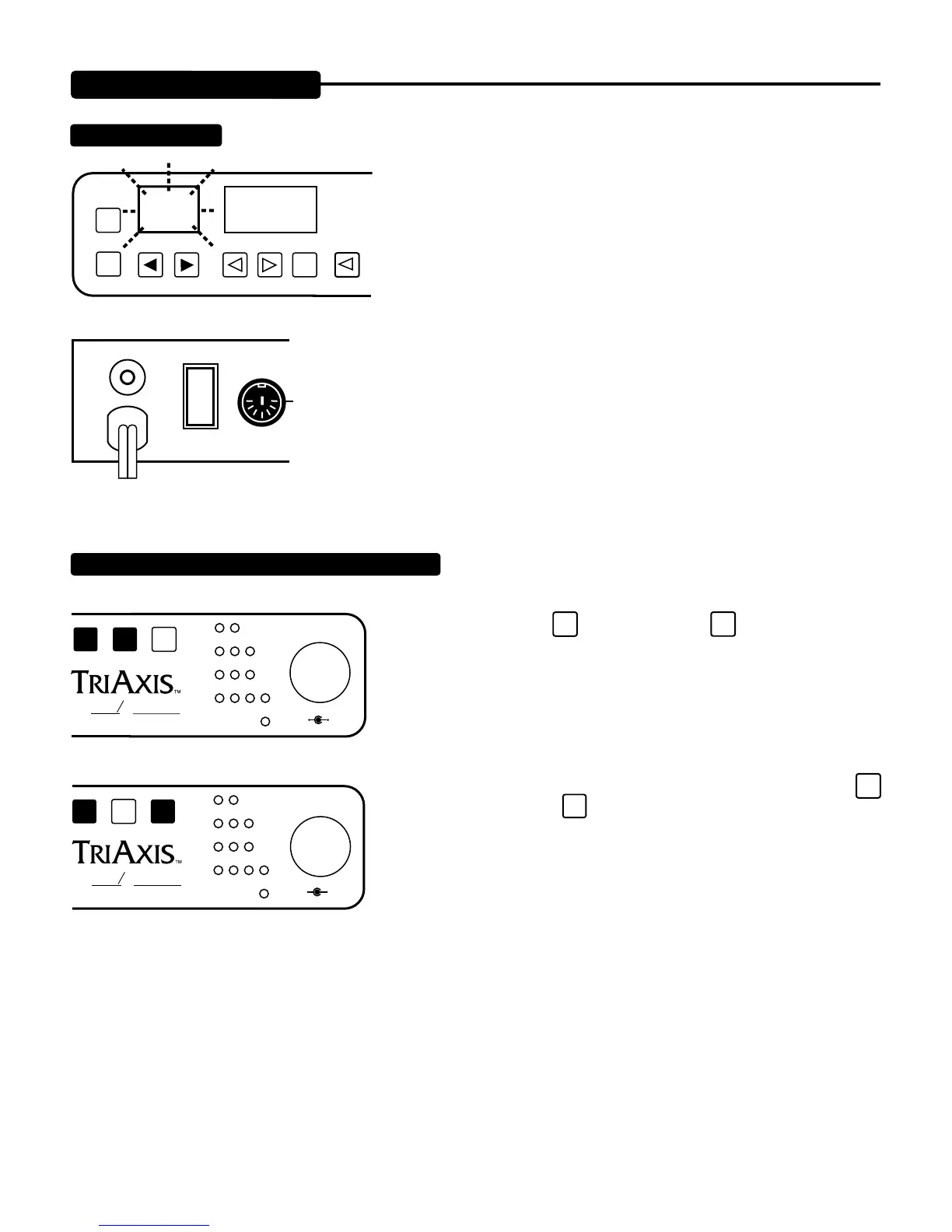
To load all of your previously written sounds and information into the TriAxis, the procedure is very
simple!
1. Connect storage medium’s Midi Out jack to the TriAxis Midi IN jack.
2. Make sure storage medium is set to transmit the correct information (file)
3. Make sure the PRESETS currently in TriAxis are “Backed Up”, as the load
you are preparing to do will erase all existing information in the TriAxis memory.
4. Key in Transmit or Send on the storage medium. The previously stored
info will be loaded into TriAxis. The PRESET display window will flash four
times confirming that the transmission has been received.
If you run out of Preset Memory using Presets 21 - 90 or you simply
prefer to start writing your sounds at Preset 01, the first 20 factory
presets may be overwritten and yet recalled for future comparison.
1. DEFEAT: Press the
SHIFT
key once, then the
LOOP
SW
key. This defeats the
factory preset power load-up command and makes it possible to write mode
and parameter settings of your choice into PRESET locations 01 through 20.
Remember the factory PRESETS will stay in these locations until you follow
this procedure to defeat them.
2. RECALL: To recall the factory PRESETS in their entirety, press the
SHIFT
key once, then press the
MODE
Key. Bear in mind this command wipes out all
previously stored information in PRESETS 1 - 20, so be sure you have BACKED
UP your memory if these are important PRESETS in these PROGRAM / LO-
CATIONS.


 To Next Page
 Loading...