2
Make sure that you have a strong WiFi connection at the
location of your camera.
Download and install the “meShare” app from Google
TM TM ®
Play or the App Store (compatibility: iOS 7.0+ or
TM
Android 4.0+). Launch the app and sign up for a free
meShare account. All of your devices will be bound to this
account.
2
Before you begin:
Mobile Setup
Make sure you know the SSID (WiFi network name) and
password of the 2.4GHz WPA-PSK/WPA2-PSK WiFi
network that you want your camera to connect to. Your
network cannot be hidden.
Make sure your network has at least 2Mbps upload speed
for each camera when live viewing or 4Mbps upload
speed for each camera when using the meShare Cloud
Service.
meShare
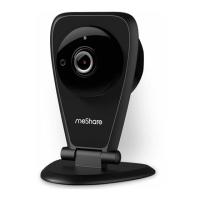
Power on your camera with the supplied power adapter.


 To Next Page