5
7
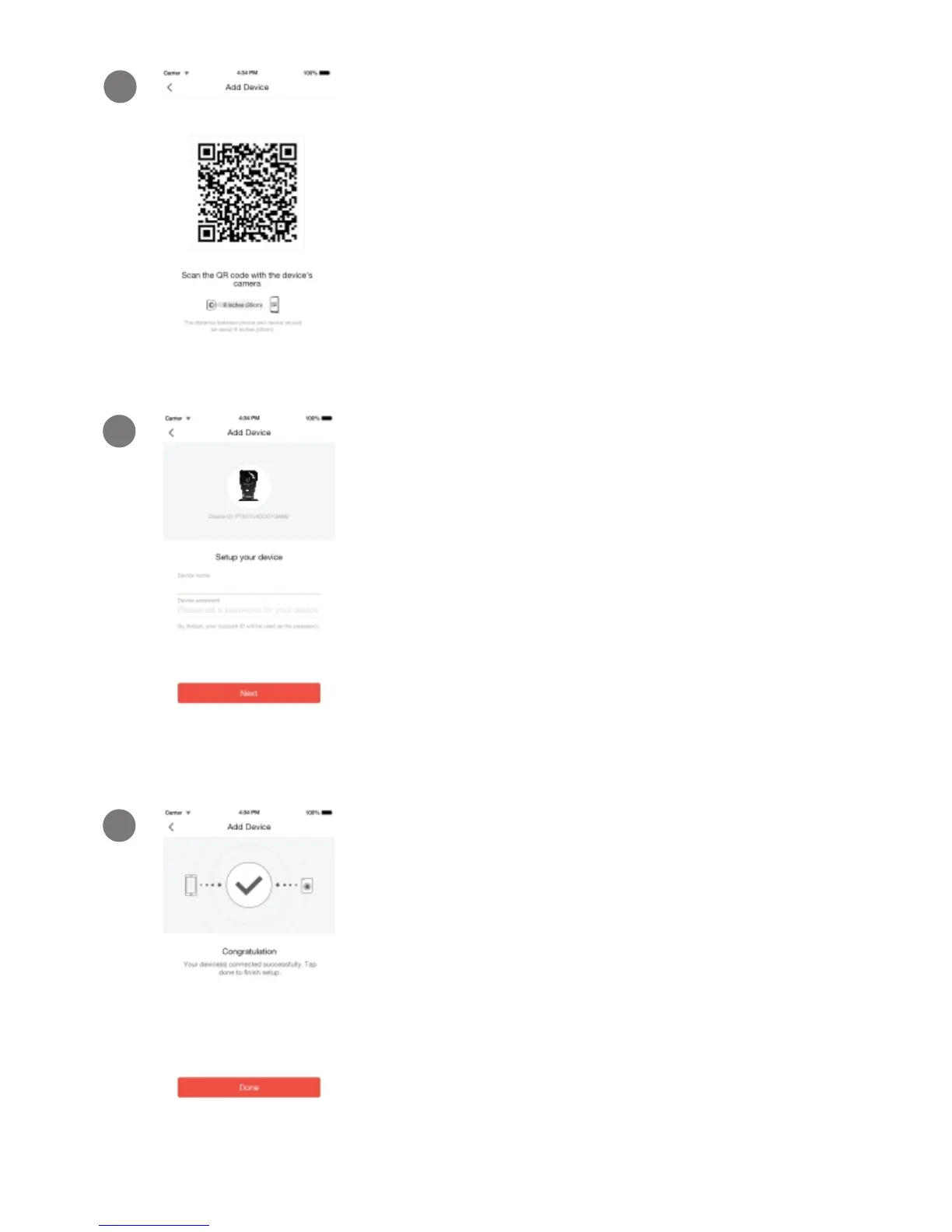
Steadily hold your phone's display in
front of your meShare camera until you
hear “Device connected”. The distance
between your phone and the meShare
camera should be about 8 inches.
8
Name your device and set a password for
it. Tap "Next" to proceed.
Note: The password provides an additional layer of
security for your devices. You will not need to use
this password when accessing your devices from
the meShare app. It is not required, but it is highly
recommended.
9
Your device has been successfully
configured! Tap “Done” to finish. You can
now share or view your device.


 To Next Page