1. Make sure the slide switch button towards the left “ON”.
2. Press button, the alarm indicator will light up,
the display starts flickering.
3. Press button to set the hour, press button to set
the minute.
4. Press button to save time or just wait for another 5
seconds to confirm automatically.
5. Slide switch button to adjust alarm volume.
Turn off Alarm
When alarm goes off:
1. Press button to temporarily turn off alarm
for 9 minutes. Alarm will ring every next 9 minutes.
2. Press button to turn off alarm for 24 hours.
The alarm indicator is still on, which means alarm is still
activated and will ring after 24 hours.
3. To cancel alarm, slide switch button to OFF,
alarm indicator will disappear from the display.
LOW HIG H
MED
1. Mesqool E-commerce Co., Ltd warrants the Mesqool branded alarm
clock and accessories contained in the original packaging against
defects in materials and workmanship when used normally in
accordance with Mesqool’s published guidelines for a period of 1
year and replacement service within 3 months from the date of
original retail purchase by the end-user purchaser(“Warranty
Period”). Moreover, 1-month refund policy is available for the
original consumer or recipient.
2.The original consumer or recipient can sign up on our website for a 18
months extended warranty.
3. If you need any help for this product, please feel free to contact us by
Email: support-us@mesqool.com
Remarks:
a. This warranty does not include: damage to product or components
resulting from abuse, accident, or climatic/environmental conditions;
damage resulting from normal wear or tear, misuse, or unauthorized
repair; changes in surface finishes due to aging or exposure to light.
The company’s obligation under this warranty shall be limited to
repairing the product or component, or at its option, replacing it with
a new product or components.
b. Our company reserves the right to revise the warranty polices
without notification. Please check our website to obtain the latest
updates.
Chapter 9 WARRANTY
- 05 - - 06 -
- 04 -
Chapter 4 ALARM SETTING
SET
ALARM
ALARM
PAUSE
ON OFF
ON OFF
SNOOZE LIGHT
- 03 -
HOUR MIN
SET
ALARM
ALM
ALM
ALM
LOW HIG H
Slide switch button to adjust the brightness of
display to your preference.
Chapter 5 DIMMER
Chapter 6 NIGHT LIGHT
1. Turn on NIGHT LIGHT
Press button then the night light will turn on.
2. Turn off NIGHT LIGHT
Long press button for 2 seconds or press it
repeatedly until the night light turns off.
3. Switch NIGHT LIGHT Color
When the night light turns on, you can press
button to switch to the color as you desired.
The night light colors are as below:
SNOOZE LIGHT
Sky Blue Oyster White
GreenCobalt Blue
Sunrise Orange
Shocking Pink
Violet
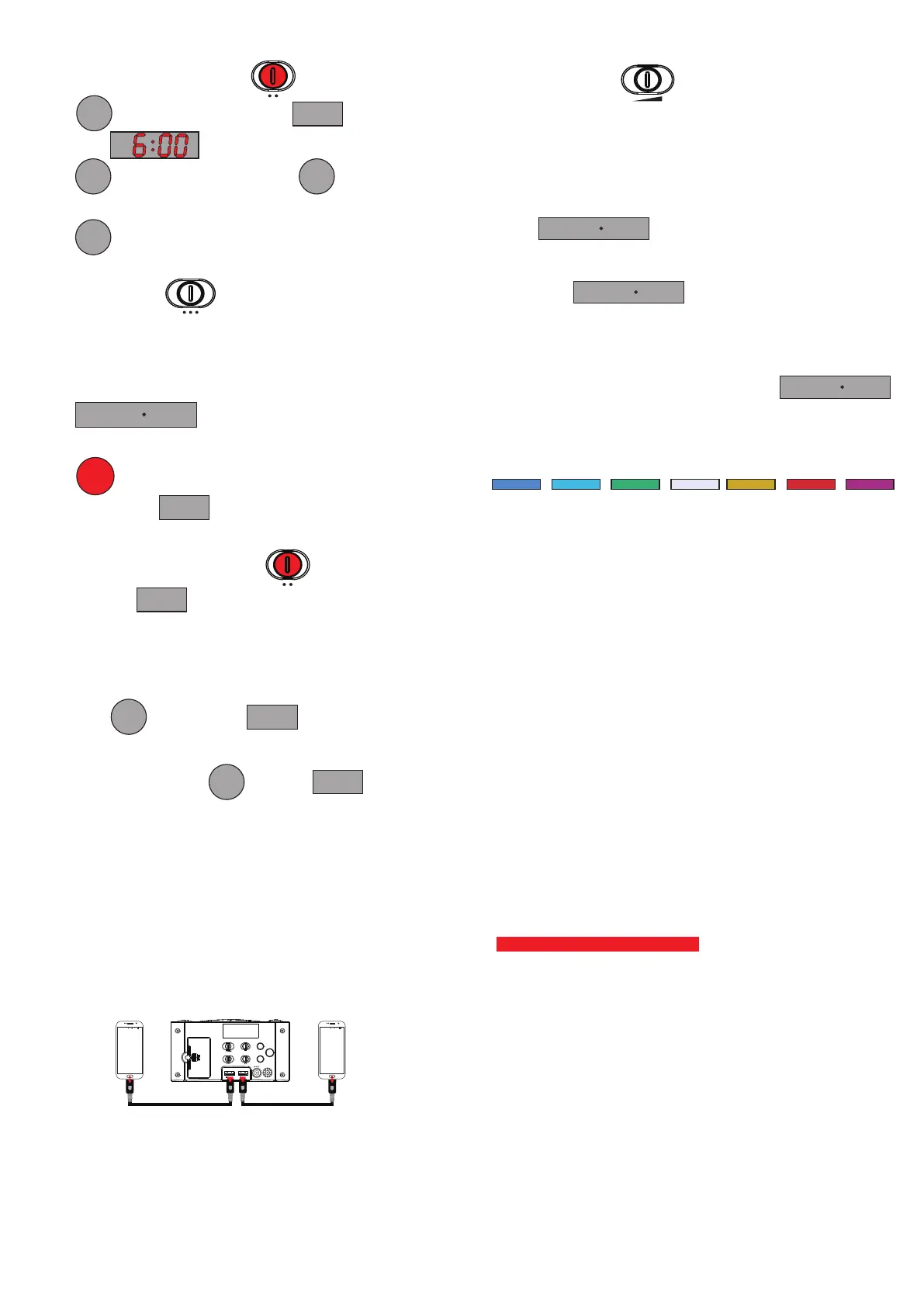
Chapter 8 USB CHARGING
Plug charging cable into device such as phone or tablet.
Device can charge both your phone or tablet at the same time.
The maximum charge current is 1 Ampere.
ALAR M
PAUSE
SET
TIME
SET
ALAR M
TIME S YSTEMDIMM ER
ALAR MALAR M VOLUM E
12H 24 HLOW HIG H
ON OFFLOW HI GH
MED
USB CH ARGIN G USB CH ARGIN G
5V1A 5V1A
DC IN
+
-
22:23
2
89%
E
E
1
22:23
2
89%
E
E
1
SNOOZE LIGHT
SNOOZE LIGHT
Chapter 7 DST SWITCH
1. Hold press to light up the indicator .
An hour will be added to the current time on the display.
3. To turn off DST, hold press until the Indicator
turns off.
SET
TIME
SET
TIME
DST
DST


 To Previous Page
 Loading...