4
95-7899
KIT ASSEMBLY
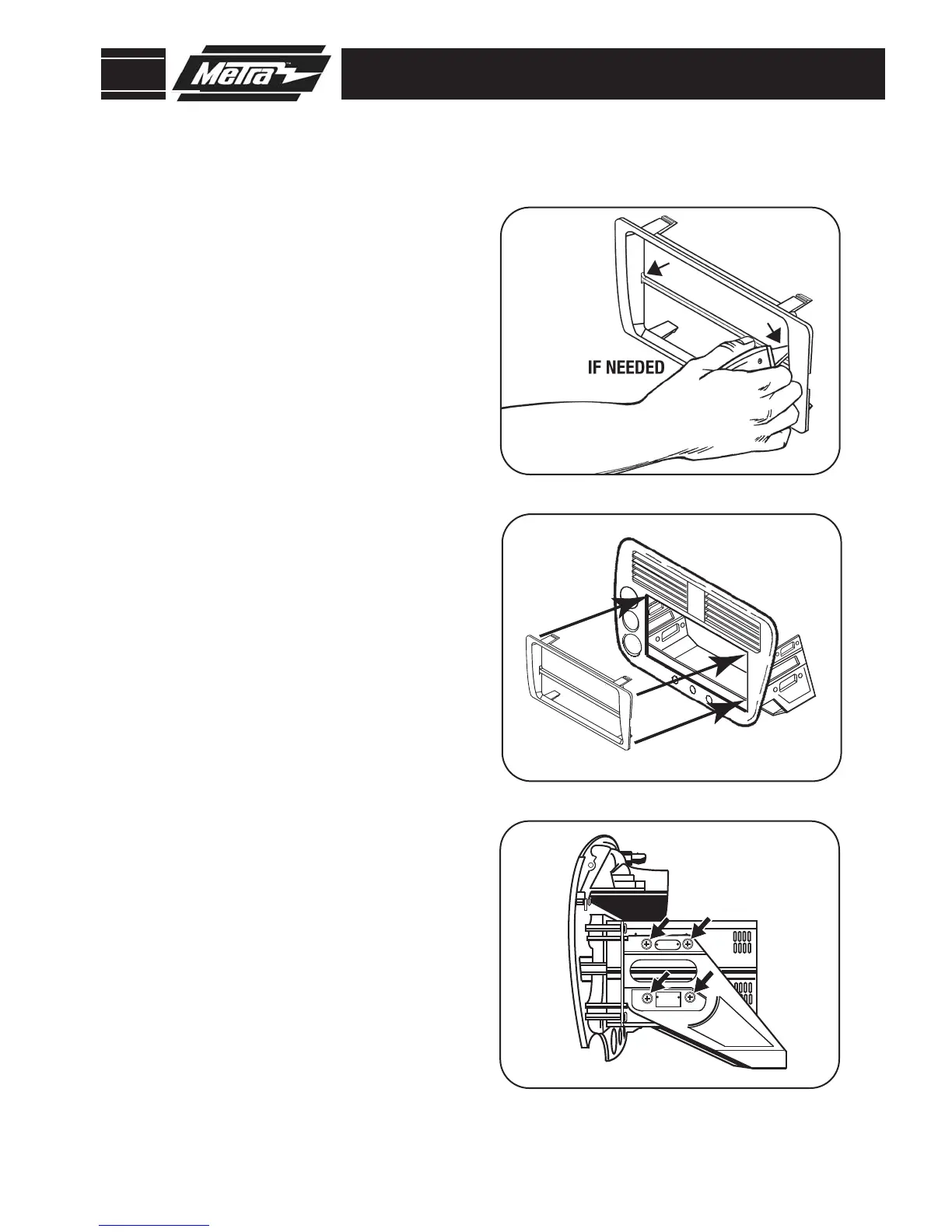
Snap the DDIN Trimplate to the
bracket & unit assembly.
(Figure B)
2
Skip to step #1 in the Final Assembly.
4
Depending on the type of aftermar-
ket head units being installed (ie:
Flip down, removable and motorized
faced head units) the center bar may
have to be removed and a small por-
tion of the inside top and bottom
edge of the DDIN Trimplate may have
to be filed slightly.
(Figure A)
1
3
STACKED ISO HEAD UNIT PROVISION
A
B
C
Attach the stacked head units to the
factory brackets by aligning the
holes and securing them to the
brackets using the screws supplied
with the units.
(Figure C)



 To Next Page