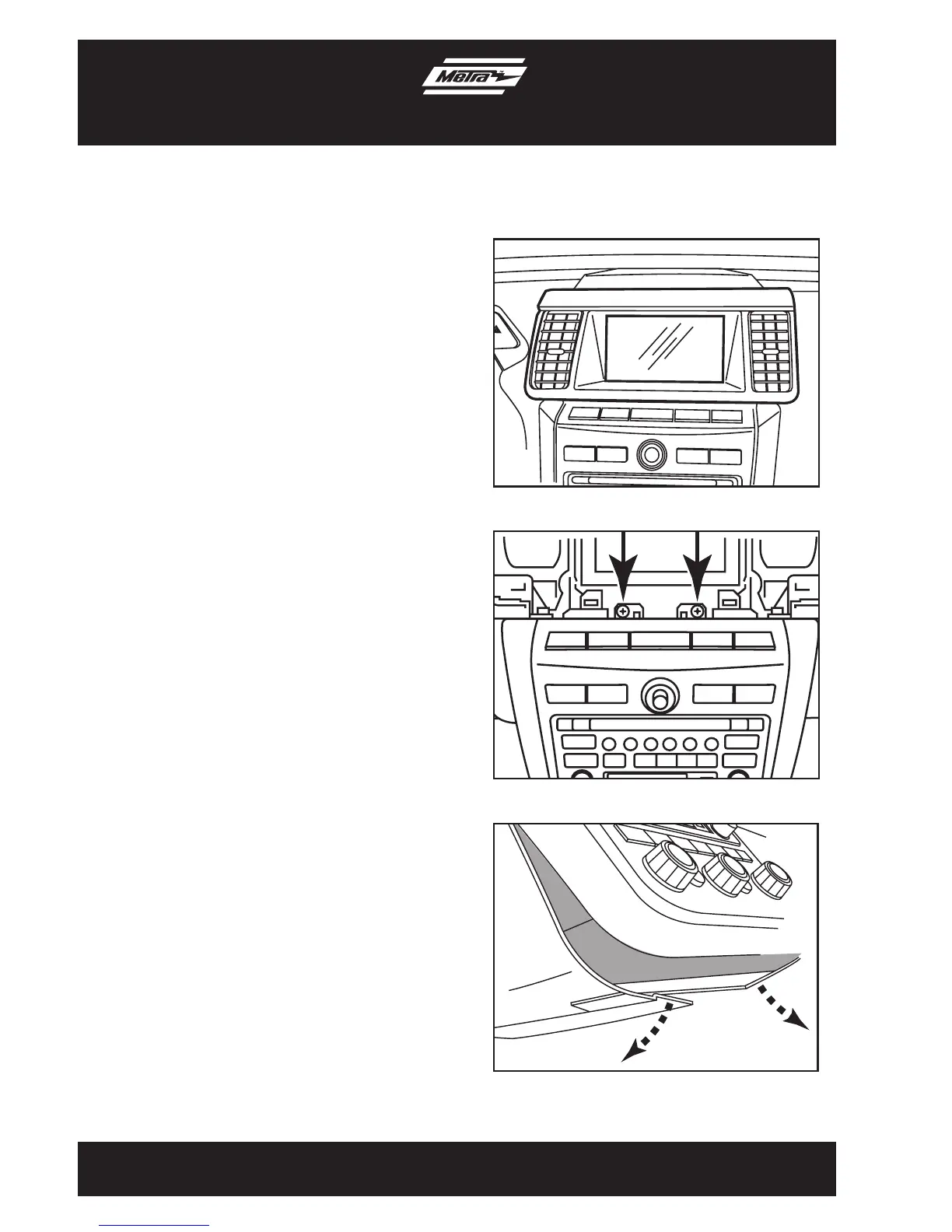
1. Unclip and remove the trim panel
surrounding the display and including
the a/c vents. (Figure A)
2. Remove (2) Phillips screws exposed
behind vent/display trim panel.
(Figure B)
3. Unclip and remove the lower trim panel
around the bottom of the radio panel.
(Figure C)
Continued on next page
3
Dash Disassembly
99-7612
(Figure A)
(Figure B)
(Figure C)


 To Next Page