EasyManua.ls Logo

Metro DataVac C5 1 Series - User Manual

Metro DataVac C5 1 Series
32 pages
Print Icon
To Next Page IconTo Next Page
Loading...
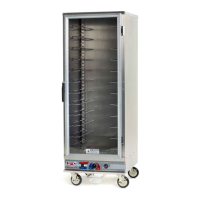
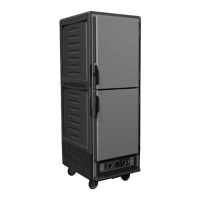
3 Series
1 Series
Heated
Cabinets
INSTRUCTIONS
FOR USE
TM
Metro Heated Cabinets are for
Hot Food Holding applications only
Differences on voltage, amps or
wattage are listed with bold text in
replacement part descriptions.
InterMetro Industries Corporation
Wilkes-Barre, PA 18705
1-800-992-1776 www.metro.com
3 Series
1 Series
This manual covers both 120V
and 220-240V cabinets, confirm
voltage before selecting and
ordering parts.

Other manuals for Metro DataVac C5 1 Series

Questions and Answers

  • P
    Paul HernandezJul 31, 2025
    Why is the Metro DataVac Heater temperature too hot?
    • S
      Scott BrownJul 31, 2025
      If your Metro DataVac Heater's temperature is too hot, first, if the temperature set point is too high, turn the control knob down to a lower setting and wait several minutes to see if the displayed temperature decreases. Also, check the thermostat. If the displayed temperature exceeds 220°F (104°C), the blower wiring may be faulty or disconnected, or the blower may need replacing. In this case, check the blower. If the temperature still exceeds 220°F (104°C), the thermostat or blower may have failed, and the thermal overload device is controlling the temperature. Stop using the cabinet immediately and contact a factory-approved service agent.
  • E
    Erin WrightAug 5, 2025
    What to do if Metro DataVac Heater trips GFCI?
    • C
      Christian MorenoAug 5, 2025
      If your Metro DataVac Heater is tripping the GFCI, it may be because the heater element has absorbed moisture during shipment or long periods of disuse. To resolve this, plug the cabinet (without water in the water pan) into a non-GFCI outlet, set the temperature to '10', and let it run for 30-60 minutes to dry out any moisture. After drying, plug the cabinet back into the GFCI outlet. If it continues to trip the GFCI, call a factory-approved service agent. If it trips the standard circuit breaker, call factory approved service agent.
  • B
    Brianna SanchezAug 9, 2025
    Why is my Metro DataVac Heater not generating heat?
    • J
      jacksonrachelAug 9, 2025
      If your Metro DataVac Heater is not generating heat, it could be due to several reasons. If the heat indicator light is on but the cabinet does not draw the appropriate amperage, the air heater element or its wiring may be faulty, or the thermostat may be faulty. If the heat indicator light is not on, the thermostat contacts may not be closing, preventing the heater element from energizing. Check the thermostat and pilot light and their respective wiring.
  • E
    elizabeth21Aug 13, 2025
    What to do if Metro DataVac Heater blower is not circulating air?
    • M
      Mr. Edward GreerAug 13, 2025
      If the blower in your Metro DataVac Heater is not circulating air, the blower wiring may be faulty or disconnected, or the blower may need replacing.
  • A
    amandamichaelAug 17, 2025
    Why is the Metro DataVac Heater temperature too low?
    • S
      Sarah HernandezAug 18, 2025
      If the temperature of your Metro DataVac Heater is too low, the cabinet may still be in pre-heat or recovering from a door being opened. If the temperature set point is too low, turn the temperature control knob to a higher setting and wait several minutes to see if the displayed temperature increases. Ensure that the door is closed and sealing properly.
  • S
    Susan HancockAug 21, 2025
    Why is the indicator light not working on my Metro DataVac Heater?
    • F
      floresalbertAug 21, 2025
      If the indicator light on your Metro DataVac Heater is not working, the thermostat contacts may not be closing, preventing the heater element from being energized. Check the thermostat and pilot light and their respective wiring.
  • M
    Mr. William BryanAug 26, 2025
    What to do if Metro DataVac Heater controls do not work?
    • M
      Michael CookAug 27, 2025
      If the controls on your Metro DataVac Heater are not working (digital thermometer and indicator light(s) not lit), check that the cabinet is plugged in and that the outlet has power. Verify that the electrical service fuse is not blown or the circuit breaker is not tripped. Ensure that the power switch is in the 'On' position. Check the cabinet wiring from the power cord to the power switch and to the terminal block. The power switch itself could also be faulty.

Summary

Basic Operating Guidelines

Holding Instructions

Steps to operate the cabinet for holding food at desired temperatures.

Safety Information

General Safety Warnings

Critical warnings for safe operation, handling, electrical safety, and cleaning.

Installation and Set-up

Operating Instructions

Power-Up and Pre-Heat Steps

Steps for powering on the unit and pre-heating for initial operation.

Holding and Proofing Operation

Detailed steps for operating the cabinet in Holding and Proofing modes.

Food Holding Guidelines

Recommended Food Holding Temperatures

Table of food products with recommended holding temperatures and status.

Care & Maintenance

Basic Troubleshooting

Troubleshooting Control and Temperature Issues

Diagnosing issues with controls not working, and temperature being too hot or low.

Troubleshooting Indicator Lights and Heat Generation

Steps to fix problems with indicator lights, no heat, or incorrect heat generation.

Troubleshooting Moisture and GFCI Trips

Addressing low moisture levels and issues with the cabinet tripping the GFCI outlet.

Service and Replacement Parts

Metro DataVac C5 1 Series Specifications

General IconGeneral
BrandMetro DataVac
ModelC5 1 Series
CategoryHeater
LanguageEnglish

Related product manuals