GETTING STARTED
2-
Quick Start Guide
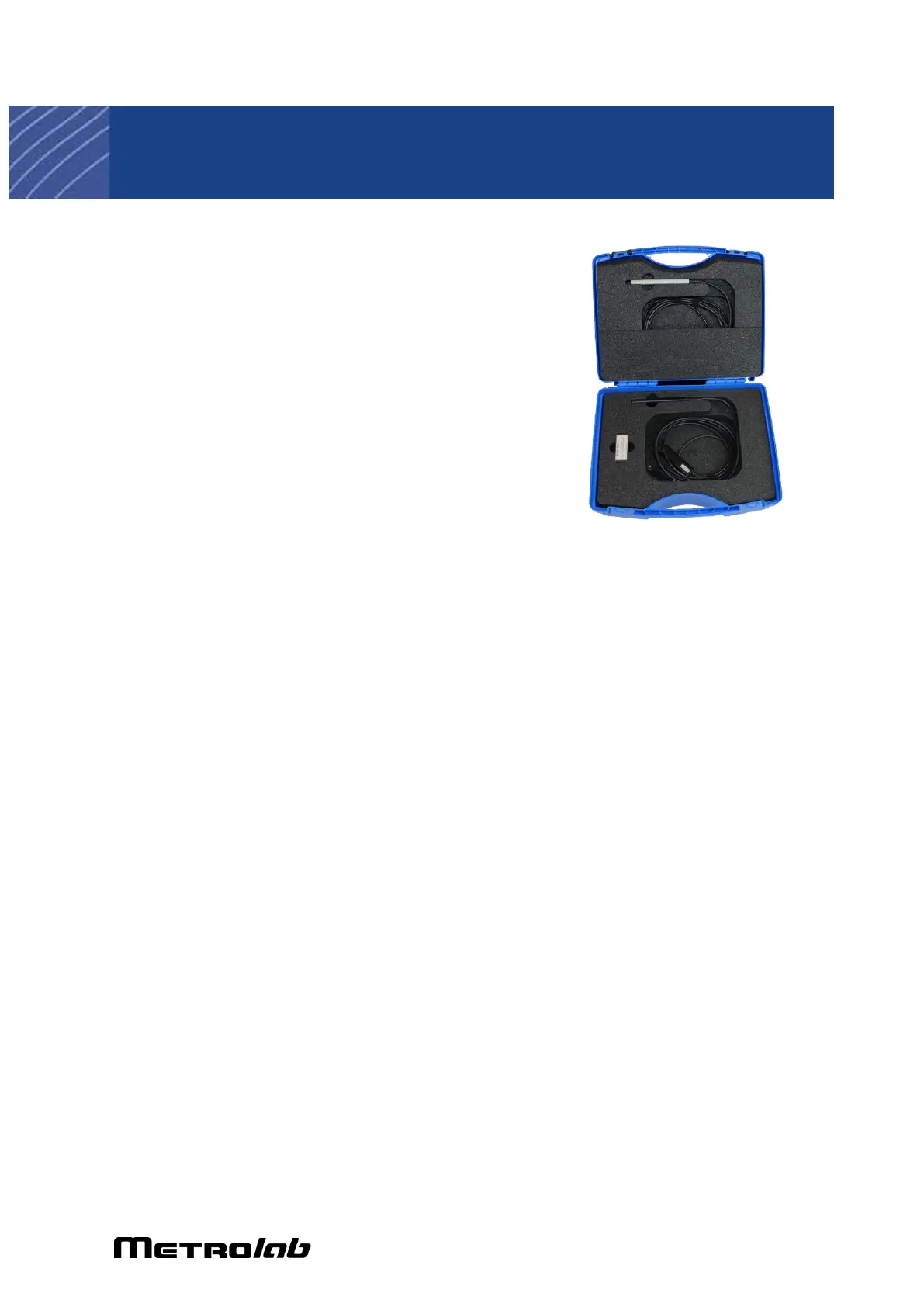
2-1 KIT CONTENTS
Your shipment should contain:
• A THM1176 or TFM1186
magnetometer. If you ordered a
“Duo Kit”, you will receive two
probes.
• A calibration certificate.
• A zero-gauss chamber, for
measuring and adjusting the probe’s
zero offset. The TFM1186 does not come with a zero-gauss chamber – see
the note in Section 2-6, Precautions.
• A USB thumb drive with the software and documentation.
• A carrying case.
• Optionally, if you ordered the Handheld Kit, a ruggedized Windows tablet.
In addition to the tablet itself, you should receive:
o a Mini-USB to USB-A adapter cable;
o a pistol grip with an extension battery; and
o a charger with adapter plugs for Europe/Switzerland, U.K., U.S. and
Australia.
2-2 WINDOWS SOFTWARE INSTALLATION AND REMOVAL
2-2-1 Software Installation
The order in which you perform the following steps is not important:
• Run the EZMag3D installer, Metrolab-EZMag3D-InstallerWindows.exe,
following the on-screen instructions.
• Run the installer for the libusbK device driver, InstallDriver.exe, following
the on-screen instructions.


 To Next Page