This document is a Quick Start Guide for Metz 55MXD9500A & 65MXD9500A series televisions, providing essential information for unpacking, installation, operation, and troubleshooting.
Function Description:
The Metz 55MXD9500A and 65MXD9500A are smart televisions designed for home entertainment. They feature an Android TV operating system, allowing access to various applications like Netflix, Prime Video, YouTube, and Google Play. The TVs support both far field and near field voice functions for convenient control. They are equipped with multiple input terminals for connecting external devices, including AV IN, ANTENNA IN, USB, HDMI, DIGITAL AUDIO OUT, and LAN. The TVs are designed to be either stand-mounted or wall-mounted, with specific instructions provided for secure installation. An E-Manual is built into the TV for comprehensive user guidance. Eye-protection functions are also integrated to mitigate the effects of blue light.
Important Technical Specifications:
- Working Voltage: 110-240V~50/60 Hz
- Dimensions without stand (W x H x D):
- 55": 1226 x 710 x 69 mm
- 65": 1447 x 834 x 69 mm
- Net weight without stand:
- 55": 17.2 kg
- 65": 22.7 kg
- RF Aerial Input: 75 ohm unbalanced
- Language of OSD: Multiple options
- System: DTV: DVB-T/T2/C, ATV: PAL BG/I/DK
- Channel Coverage:
- DVB-T/T2: 174 MHz ~ 230 MHz, 470 MHz ~ 860 MHz
- DVB-C: 48 MHz ~ 859 MHz
- ATV: 47.25 MHz ~ 865.25 MHz
- Environment (Tropical climates zone):
- Working temperature: 5°C~40°C
- Working humidity: 20%~80%
- Storage temperature: -15°C~50°C
- Storage humidity: 10%~90%
- Environment (Moderate climates zone):
- Working temperature: 5°C~40°C
- Working humidity: 20%~80%
- Storage temperature: -15°C~45°C
- Storage humidity: 10%~90%
- Wall Mount Screw Specifications (55" & 65"):
- Diameter "E": M6
- Depth "D": Max 15mm, Min 13mm
- Quantity: 2 (Top), 2 (Down)
- ABC: 300200300
Usage Features:
- Unpacking and Installation: The guide provides a four-step process for unpacking, taking out the TV, installing stands, and connecting the power cord.
- Restraining Bracket Installation: For safety, especially in regions prone to earthquakes or for households with children, instructions are given to install restraining brackets. This involves fastening TV restraining brackets to the TV rear cabinet, fixing wall restraining brackets (user-supplied) to the wall, and connecting them with ropes (user-supplied).
- Remote Control: A detailed diagram of the remote control is provided, outlining the function of each button, including power, mute, number buttons, source, info, menu, home, navigation, OK, exit, back, application buttons (Netflix, Prime Video, YouTube, Google Play), teletext buttons (text, reveal, index, hold), program up/down, volume up/down, guide, mic, USB play control buttons (play, pause, fast backward, fast forward), subtitle, AD, and color buttons.
- Voice Function:
- Far Field Voice: Users can activate microphones by saying "Ok Google" or "Hey Google" from within 3 meters. An indicator shows the status of the microphones and voice function.
- Near Field Voice: A dedicated mic button on the remote control activates this function. Users need to speak within 5 centimeters of the microphone.
- Bluetooth Remote Control Pairing: Instructions are provided for pairing the Bluetooth remote control with the Android TV, either during initial setup or via the settings menu (HOME → Settings → Remotes & Accessories).
- TV Control Button: A physical button on the TV allows for basic operations: short press to turn on (from standby), access source list, or enter selected source; long press to exit source list or enter standby mode. Pushing left/right adjusts volume, and pushing upward/downward switches channels or selects input source.
- Recommended Picture Mode: The default picture mode is "Standard." Users can restore it via MENU → Picture Mode → Standard, or MENU → More → TV Setting → Picture → Picture Mode → Standard, or MENU → More → TV Setting → Setup → Reset Default.
- Eye-protection Function: To reduce blue light exposure, users can select MENU → More → Picture → Picture Mode → Movie and MENU → More → Picture → Color Temperature → Warm.
- Terminal Connections: Diagrams illustrate how to connect various external devices to the TV's AV IN, ANTENNA IN, USB, HDMI, DIGITAL AUDIO OUT, and LAN ports.
Maintenance Features:
- Remote Control Battery Installation: Instructions detail how to insert two AAA batteries into the remote control, ensuring correct polarity.
- Remote Control Precautions: Advices include pointing the remote towards the sensor, avoiding violent vibration, liquid splashes, high humidity, and direct sunlight. It also mentions checking for external Bluetooth devices in pairing mode for Bluetooth remote control.
- Battery Precautions: Guidelines for safe battery usage include noting polarity, replacing low-voltage batteries, removing batteries during long periods of disuse, not mixing battery types, avoiding fire, charging, or decomposition, and proper disposal according to environmental regulations. A warning about coin/button cell batteries is included, emphasizing the chemical burn hazard if ingested and the need for immediate medical attention if swallowed.
- Troubleshooting: A section is dedicated to common issues and their solutions, covering:
- Remote control not working: Check batteries, installation, main power, and obstructions.
- Poor signal: Caused by interference from electronic equipment or radio sources.
- No picture, no sound: Check signal source, power plug, and other electrical devices.
- No sound, picture OK: Unmute sound, increase volume, adjust 'Balance'.
- Abnormal picture: Adjust color options, keep TV away from other electronics, try other channels. For bad TV signal (mosaic/snowflakes), check signal cable, adjust antenna, fine tune channel, try another channel.
- Multimedia Player issues: For 'invalid'/'unsupported audio' or abnormal video/audio, check if the file plays on PC and if video/audio codec is supported.
- Network failure: Check router and TV connection.
- Browser issues: For incomplete web page display, close the current page; for browser forced shutdown, the page may have too much content.
- General Safety Instructions: Emphasizes reading all instructions, retaining them for future reference, heeding warnings, following instructions, not using near water, cleaning with dry cloth, not blocking ventilation, not installing near heat sources, not defeating safety purpose of polarized/grounding plug, protecting power cord, using manufacturer-specified attachments/accessories, using caution with carts/racks, unplugging during lightning storms or long periods of disuse, and referring servicing to qualified personnel. It also warns against electric shock, installing in confined spaces, and exposure to rain/moisture or dripping/splashing liquids.
- Environmental Compliance: The packaging is made from environmentally friendly, recyclable materials. The product itself should not be disposed of with household rubbish at the end of its life, but rather through environmentally friendly methods, such as the National Television and Computer Recycling Scheme in Australia.
- Warranty: A 3-year warranty is provided, with contact information for technical and warranty support in Australia.

 Need help?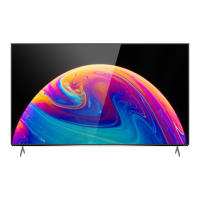

 To Next Page
 General