Need help?
Do you have a question about the Meyer Sound Galileo 408 and is the answer not in the manual?
Provides guidance on how to effectively read and understand the operating instructions and icons used in the manual.
Describes the Galileo loudspeaker management system as a complete hardware and software solution for sound reinforcement.
Details the features and functionality of the Compass control software for managing the Galileo 408 remotely via a graphical interface.
Explains the direct connection of the Galileo 408 to the SIM 3 audio analyzer for comprehensive audio measurement capabilities.
Describes how Galileo project files are saved, managed, and used to retain system configurations and snapshots.
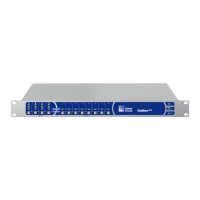
Details the front panel components including input/output mute buttons, level indicators, and status LEDs for monitoring.
Describes the rear panel connectors: PowerCon, Ethernet, SIM 3 bus, Analog/AES inputs, and outputs for system connectivity.
Explains the locking PowerCon connector for AC power and its voltage compatibility range (90-264 V AC, 50/60 Hz).
Details how to connect the Galileo 408 to a computer via Ethernet for remote control using Compass software.
Details analog input connectors (A-D) for analog sources and voltage range settings, including front panel metering.
Describes AES/EBU digital input connectors (A and C) and their configuration for digital audio signals, supporting up to 96 kHz.
Details the eight XLR-3M output connectors, their capabilities, and output voltage range settings for driving loudspeakers.
Explains how to connect the Galileo 408 to the SIM 3 audio analyzer for measurement and switching configurations.
Details the compliance certifications and standards met by the Galileo 408, including CE and FCC regulations.
 General
| Brand | Meyer Sound |
|---|---|
| Model | Galileo 408 |
| Category | Processor |
| Language | English |

 To Next Page