Need help?
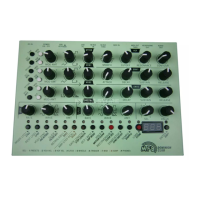
Do you have a question about the MFB DOMINION CLUB and is the answer not in the manual?
Guidelines for placing the device, avoiding humidity, dust, heat sources, sunlight, and vibrations.
Instructions for connecting the power supply, ensuring stability, and preventing foreign objects.
Specifies the device's design for audio and MIDI/M-Bus signals, prohibiting other uses.
Adjusts global tuning by semitones and transpose by octaves for all oscillators.
Fine-tunes specific oscillators (VCO2, Digital) via detune and interval settings.
Blends waveforms for analog oscillators and selects algorithms for the digital oscillator.
Activates sub-oscillators, noise generator, and ring modulation for VCO1 and VCO2.
Assigns modulation targets using ENV1 and adjusts modulation depth with MOD AMT controls.
Configures oscillator synchronization, digital bit reduction, and portamento glide effect.
Adjusts filter modes (LP, HP, NT), cutoff frequency, resonance, and contour modulation.
Configures envelope response behavior, allowing single pass (trG) or looped (LoP) triggering.
Sets the LFO mode: free running, reset, one shot, or tempo synced.
Synchronizes LFO rate with internal or external MIDI-clock for tempo-based modulation.
Assigns LFOs to modulate parameters like pitch, waveform, filter cutoff, or resonance.
Allows saving and loading sound presets, including arpeggiator and sequencer settings.
Adjusts velocity impact on VCA/VCF and sets LFO3 speed linked to modulation wheel.
Adjusts pitch wheel range and assigns modulation wheel targets for oscillators and filters.
Configures note priority, legato behavior, MIDI channel, and THRU jack functionality.
Allows sending memory content to a computer for archiving and restoration.
Adjusts the level of the headphone output, independent of the main audio output.
Selects between Arpeggiator, Step-Sequencer, Realtime-Sequencer and controls playback.
Adjusts tempo, scale resolution, and applies shuffle to arpeggio and sequencer patterns.
Sets gate length, step length, and synchronizes the sequencer with MIDI-clock.
Selects arpeggiator patterns and enables the note hold function.
Covers programming, inserting pauses, and enabling legato for the step-sequencer.
Enters sequences in realtime, functioning as a looper, and allows deletion.
Records and deletes control movements in parallel to sequencer notes.
 General
| Type | Analog Synthesizer |
|---|---|
| Oscillators | 3 VCOs |
| Polyphony | Monophonic |
| MIDI | MIDI In/Out |
| Waveforms | Triangle |
| Filter | 24dB Lowpass Filter |
| LFO | 1 LFO |
| Envelope | ADSR envelope generator |
| Sequencer | Step Sequencer |
| Keyboard | No keyboard |

 To Next Page