________________________________________________________________
MFJ-204B Antenna Bridge Instruction and Technical Manual
- 9 -
EASY START INSTRUCTIONS
III. Using the MFJ-204B to adjust an antenna tuner.
1. Turn on the MFJ-204B
2. Attach the MFJ-204B to the tuner using the shortest length of RG-58U or
RG-8U that you can.
3. Set the BAND switch to the appropriate band.
4. Adjust the FREQUENCY DIAL of the ANTENNA BRIDGE to the frequency
at which you want to check the SWR. For added accuracy connect a frequency
counter to the Freq. Out jack or zero beat against your receiver as described in
Appendix A.
5. Set the Resistance control to 50 Ohms.
6. Adjust the antenna tuner until the meter on the MFJ-204B reads minimum.
7. Your antenna tuner is now set for 50 ohms at that frequency.
8. Disconnect the MFJ-204B completely and connect the transmitter to the tuner.
9. It is always best to check the settings with a SWR meter as some slight
retuning might be necessary.
10. Always turn the Band switch to OFF when finished.
CAUTION
Never transmit into or through the MFJ-204B. Take the MFJ-204B completely
out of line before transmitting! Damage to your MFJ-204B will result if left in
line.
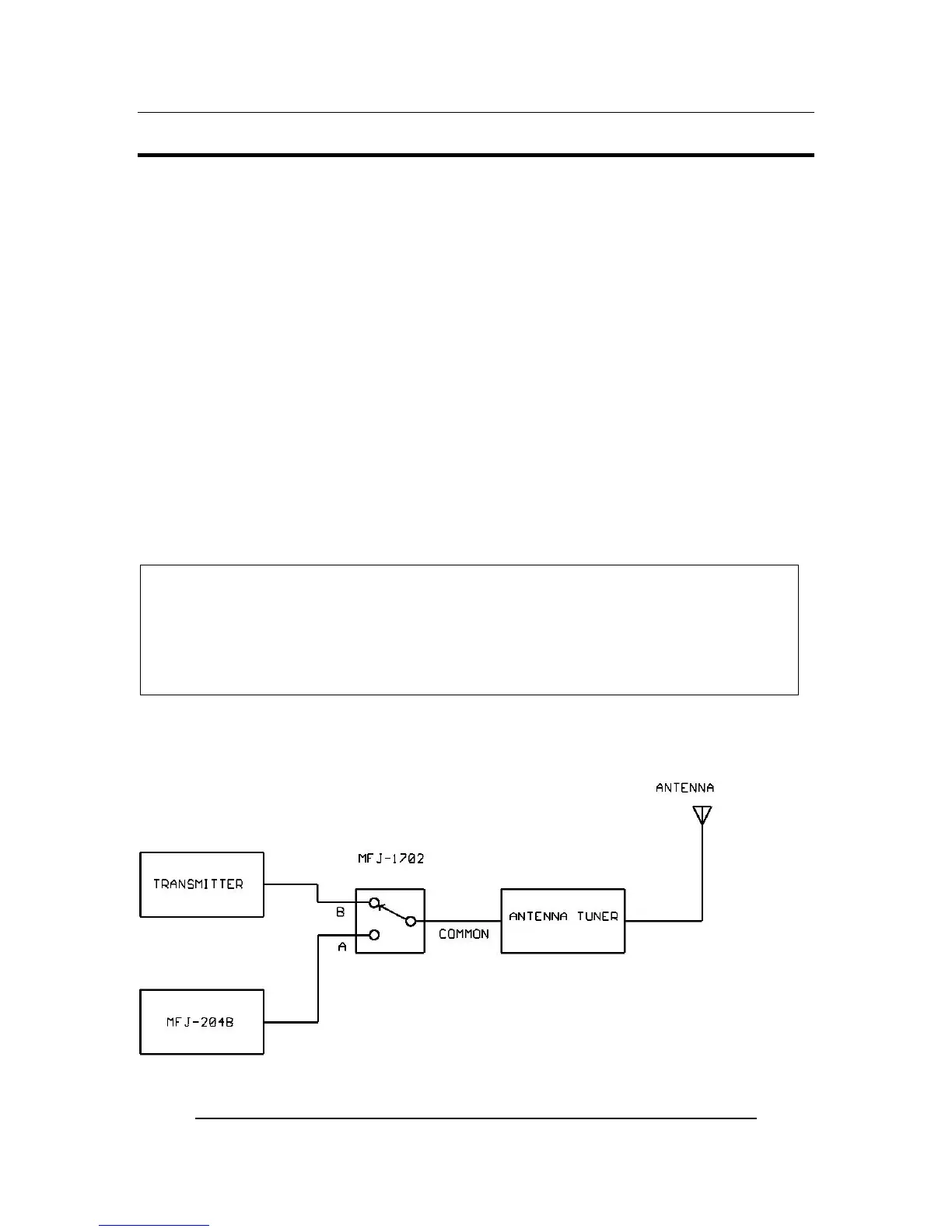
We recommend using the MFJ-1702 coax switch as shown in the diagram below for ease
of use when changing bands.
FIGURE 4: Hook-up for using the MFJ-204B to Tune Antenna Tuner


 To Next Page