________________________________________________________________
MFJ-204B Antenna Bridge Instruction and Technical Manual
- 12 -
APPENDIX A
HOW TO ZERO BEAT THE MFJ-204B AGAINST THE RECEIVER
The Freq. Out jack on the MFJ-204B has a sine wave output which can be used to
accurately check the frequency at which the MFJ-204B is adjusted to.
To zero-beat against the receiver, loosely couple a wire from the RCA jack (Freq. Out) to
the antenna connector on your radio.
First, try a small length of wire from the Freq. Out connector of the MFJ-204B. Just
leave it dangling free, not touching the Antenna input of the receiver. Place the far end of
the wire near the receiver but do not connect it to the receiver’s input unless you simply
cannot hear the signal at all. The output of the MFJ-204B is a high level and damage to
the front end of some radios may occur with a direct connection, so you assume all risks
in making a direct connection.
Turn the radio on and tune to the frequency in question. For example, if you want to
check your 40 meter dipole on 7.235 MHz, set the radio for 7.235 MHz. Turn the RF
gain and the Audio of you radio down as the level of the MFJ-204B is strong. Put your
radio in the CW mode. If you have a BFO adjustment on your radio, be sure to set the
BFO to ON and to 0 (zero).
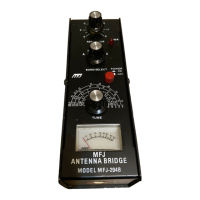
Set the MFJ-204B to band C. Adjust the tune dial on the MFJ-204B until you start
hearing a tone in the radio’s speaker. As you slowly turn the TUNE dial, the frequency
will start at a very high pitch, and then decrease to zero pitch. The point where the tone
goes to zero hertz is the “zero-beat”. That means the MFJ-204B is set exactly to the
setting on the radio.
Now make a note of where the dial is set on the MFJ-204B so you can re-set the
frequency if you accidentally bump the TUNE control.
You can now disconnect the wire and re-connect the antenna to the MFJ-204B.


 To Next Page