MFJ-434B Instruction Manual Voice Keyer
6
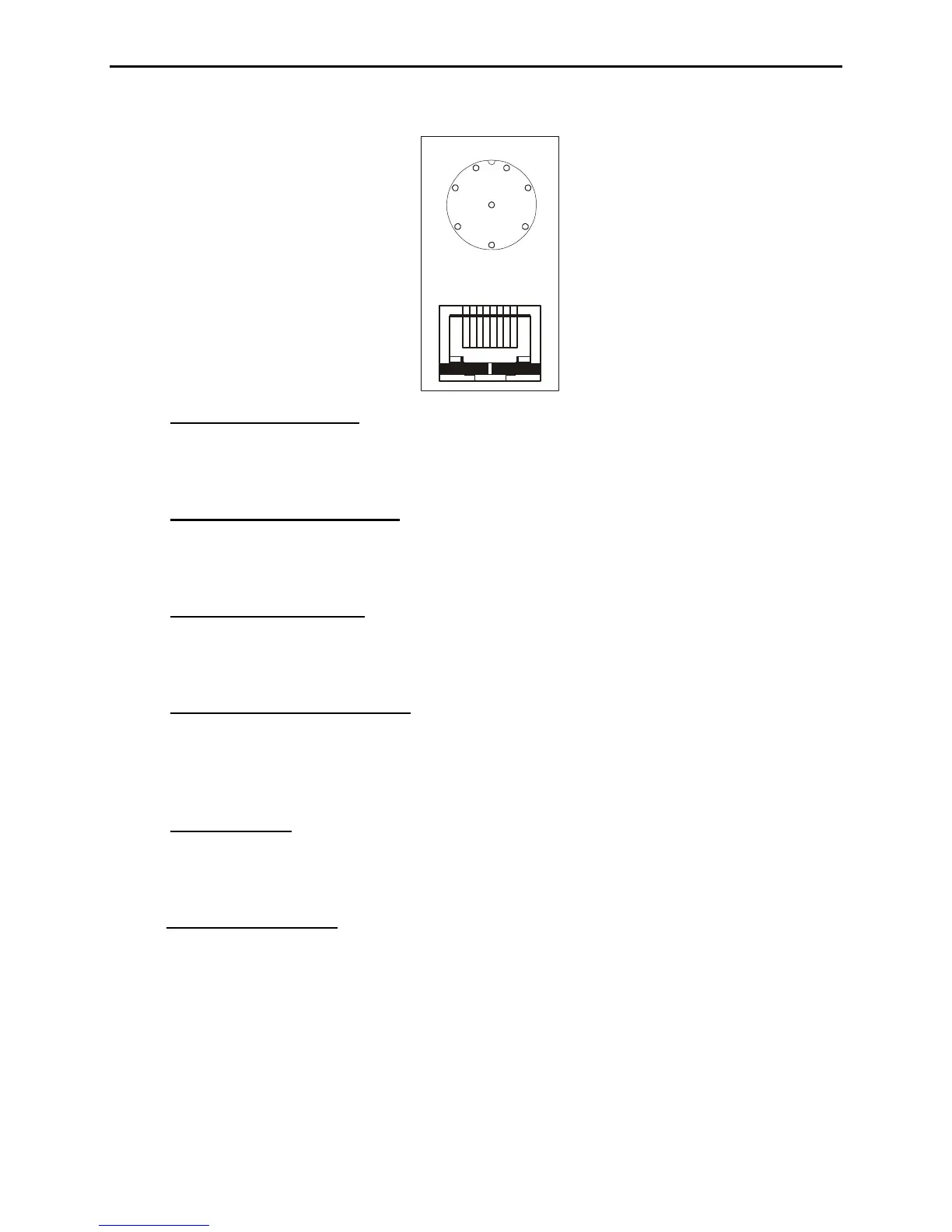
Front Panel View
87654321
8
7
6
3
4
5
2
1
3. JMP4 and JMP9 (Mic):
Place jmp 4 and jmp 9 on the corresponding pin number
required by your microphone. This pin number can be determined from the front panel
view above. For example if your radio has Mic input on pin 1 a jumper will be placed on
jmp9 pin 1 and jmp4 pin 1.
4. JMP3 and JMP8 (Mic Gnd):
Place jmp 3 and jmp 8 on the pin number required by
your microphone. This pin number can be determined from the front panel view above.
For example if your radio has Mic Gnd on pin 7 a jumper will be placed on jmp3 pin 7
and jmp8 pin 7.
5. JMP2 and JMP7 (PTT):
Place jmp 2 and jmp 7 on the pin number required by your
microphone. This pin number can be determined from the front panel view above. For
example if your radio has Mic Gnd on pin 5 a jumper will be placed on jmp2 pin 5 and
jmp7 pin 5.
6. JMP5 and JMP6 (PTT GND):
This is often refered to as Ground in some radio
manuals. Place jmp 5 and jmp 6 on the pin number required by your microphone
configuration. This pin number can be determined from the front panel view above. For
example if your radio has PTT Grnd on pin 6 a jumper will be placed on jmp5 pin 6 and
jmp6 pin 6.
7. JMP5 (Direct):
Place jumpers on jmp5 (direct) on remaining lines not configured above.
These pins will control up/dn, +VDC, squelch, AF, and other functions commonly found
on transceivers. By placing a jumper on jmp5 the MFJ-434B circuit is by-passed on the
corresponding pins.
8. JMP6 (Mic Voltage):
There are four jumper pins near the front of the circuit board(to
the rear of the green LED), labeled JMP6 with 8V, 5V, 1.5V, and 0V markings. This
jumper is normally set at 0V, which is compatible with Yaesu and other standard
dynamic and crystal microphones that do not require external voltage. If you are using a
microphone that does require external voltage, or if your microphone does not record to
the voice keyer but works normally when connected to the voice keyer, consult the
specifications for your microphone. Place the jumpers in the setting that most closely
matches the voltage specified by your microphone manufacturer.


 To Next Page
 Loading...