
 Need help?
Do you have a question about the MFZ Control CS 320 and is the answer not in the manual?
Critical safety guidelines for installing the control unit and ensuring electrical safety.
Important safety warnings, warranty information, and intended use of the controller.
Details on the CS 320 controller's design, purpose, and capabilities for door systems.
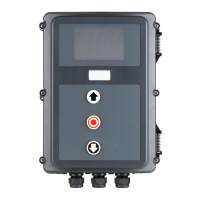
Overview of different housing, LCD monitor, and command device variants available.
Explanation of the motherboard's terminal strips, connectors, and components.
Prerequisites and diagrams for connecting the controller to the mains power supply.
Wiring instructions for connecting an absolute value encoder (AWG) system.
Instructions for connecting mechanical limit switches (MEC) and evaluating them.
Wiring diagrams for various command devices like UP/STOP/DOWN switches and buttons.
Details on connecting and configuring programmable inputs for different functions.
Implementation of safety inputs according to EN 12453 standards, using resistance evaluation.
Instructions for connecting the LCD monitor for accessing menu settings and parameters.
How the controller automatically detects and programs connected components after reset.
Procedure to check and change the drive's opening and closing direction.
Guide for setting UP and DOWN end positions via circuit board buttons or LCD monitor.
Explanation of the four operating modes: AUTOMATIC, ADJUSTMENT, INPUT, and DIAGNOSIS.
Details on different reset types (factory settings, partial resets) and their execution.
Steps for resetting the controller using the LCD monitor or without it.
Descriptions of various display messages during automatic operation of the door system.
Guide to configuring parameters within the INPUT operating mode for various functions.
Detailed explanations of different relay modes for traffic lights, position messages, and error signals.
Detailed explanations of functions assigned to programmable inputs 1 and 2.
List of faults, their causes, and recommended rectification steps for LCD monitor messages.
Explanation of fault messages indicated by LED status on the motherboard.
Specifications including housing dimensions, power supply, environmental conditions, and protection grades.
Details on safety function categories and performance levels as per EN ISO 13849-1.
Safety precautions and guidelines for performing maintenance and checks on the controller.
Diagrams showing safety circuit measuring points for troubleshooting and interruption detection.
Schematic overview of all external connections to the CS 320 controller.
 General
| Brand | MFZ |
|---|---|
| Model | Control CS 320 |
| Category | Door Opening System |
| Language | English |

 To Next Page