EasyManua.ls Logo

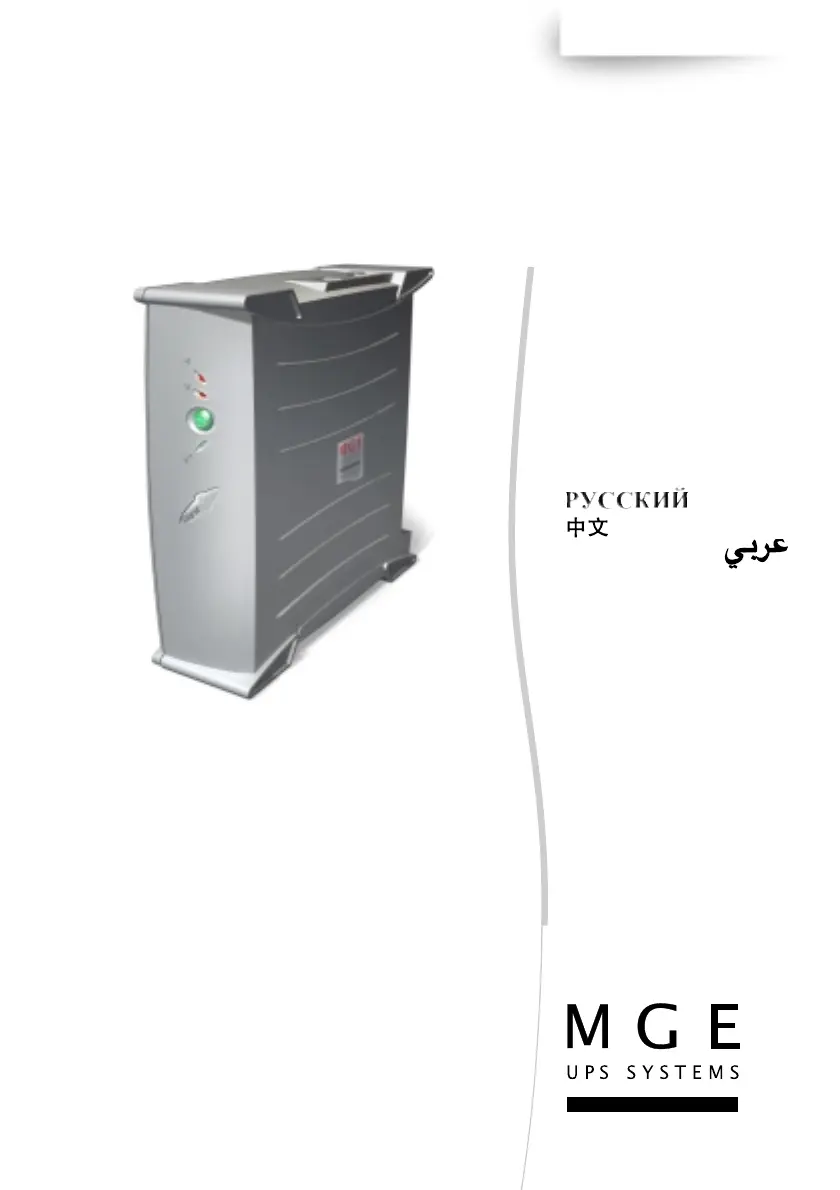
MGE UPS Systems Ellipse 750 - User Manual

MGE UPS Systems Ellipse 750
40 pages
Print Icon
To Next Page IconTo Next Page
Loading...
3400774700/AD - 1
Installation and
user manual
English - Français
Deutsch - Italiano
Español - Nederlands
Português - Eλληνικά
Polski - Česky
Slovenčina
- Slovensko
Magyar - Türkçe
www.mgeups.com
MGE UPS SYSTEMS
Ellipse
375/600/750/
1000/1500/XL
T
H
E
U
N
I
N
T
E
R
R
U
P
T
I
B
L
E
P
O
W
E
R
P
R
O
V
I
D
E
R

Questions and Answers

  • T
    Thomas RobinsonAug 15, 2025
    Why is my MGE UPS Systems Ellipse 750 operating on battery even when AC power is available?
    • B
      Benjamin GomezAug 15, 2025
      If AC power is available but your MGE UPS Systems UPS is operating on battery power, it could be because the circuit breaker located under the UPS has been tripped by an overload. Try disconnecting some equipment and reset the circuit breaker by pressing the button.
  • B
    Brandon JonesAug 18, 2025
    What to do if connected devices are not supplied when AC power fails for MGE UPS Systems Ellipse 750 UPS?
    • A
      Ashley CarterAug 18, 2025
      If your devices aren't getting power from the MGE UPS Systems UPS during an AC power failure, make sure they are connected to the battery backup outlets.
  • E
    Elizabeth Price DDSAug 21, 2025
    How to fix battery backup outlets not working on MGE UPS Systems Ellipse 750?
    • J
      joseph59Aug 21, 2025
      If the battery backup outlets on your MGE UPS Systems UPS aren't supplying power, press the button and check that it turns green.
  • B
    brianriveraAug 25, 2025
    What to do if the red LED is on and the audio alarm beeps every 30 seconds on my MGE UPS Systems Ellipse 750?
    • S
      Sydney KelleyAug 26, 2025
      If the red LED is on and the audio alarm beeps every 30 seconds, it means the battery backup outlets on your MGE UPS Systems UPS are overloaded. To resolve this, disconnect some of the equipment connected to the battery backup outlets.
  • M
    Ms. Laura NguyenAug 28, 2025
    Why does the green button flash and the alarm beep on my MGE UPS Systems Ellipse 750 UPS?
    • P
      Phillip BryantAug 28, 2025
      If the green button on your MGE UPS Systems UPS flashes and the audio alarm beeps, it indicates that the UPS is frequently operating on battery power due to a poor AC power source. You should have your electrical installation checked by a professional or try using another wall outlet.
  • C
    Collin CabreraAug 31, 2025
    What to do if the filtered outlets are not supplied on my MGE UPS Systems UPS?
    • R
      Ricardo SchwartzSep 1, 2025
      If the filtered outlets on your MGE UPS Systems UPS are not supplied with power, first ensure the wall outlet has power. If the wall outlet is working, the circuit breaker located under the UPS might have been tripped due to an overload. In that case, disconnect some equipment and reset the circuit breaker by pressing the button.
  • S
    Scott LopezSep 4, 2025
    Why is the telephone line disturbed when using MGE UPS Systems Ellipse 750?
    • T
      Thomas KingSep 4, 2025
      If the telephone line is disturbed or modem access is not possible when using your MGE UPS Systems UPS, it might be because surge protection on the telephone line is no longer provided. Disconnect the telephone line from the wall outlet.
  • M
    Mary SantiagoSep 7, 2025
    What does it mean if the red LED is flashing on my MGE UPS Systems Ellipse 750 UPS?
    • E
      eric80Sep 7, 2025
      If the red LED on your MGE UPS Systems UPS is flashing, it indicates that the battery has reached the end of its service life. You will need to have the battery replaced.
  • B
    brandyhartSep 12, 2025
    What does it mean when the green LED is off but the filtered outlets are supplied on MGE UPS Systems Ellipse 750 UPS?
    • T
      Terri PerezSep 12, 2025
      If the green LED is off and the filtered outlets are still supplied on your MGE UPS Systems UPS, surge protection is no longer provided. Call after-sales support.

Summary

Packaging and Safety Guide

Packaging Contents Overview

Illustrates the components included in the UPS packaging for setup.

Installation Safety Precautions

Essential safety warnings to be observed before installing the UPS.

Quick Start Guide

UPS Connection Diagrams

Visual guides for connecting UPS to power sources and devices based on model and outlet type.

Initial UPS Operation and Software

Steps for turning on the UPS, understanding indicators, and installing supporting software.

Product Warranty Registration

Instructions for registering the UPS warranty online via the manufacturer's website.

Technical Specifications

UPS Installation and Operation

Connecting the UPS

Instructions for connecting the UPS to power sources and peripheral devices.

Understanding UPS Controls

Explanation of buttons, LED indicators, and basic operation modes.

Battery Safety and Disposal

Guidance on battery handling, service life, and environmentally sound disposal.

Troubleshooting Guide

Identifying and Resolving UPS Issues

A list of common problems, their causes, and step-by-step solutions.

Advanced UPS Customization

Adjusting Power Sensitivity

Configuring the UPS to adapt to varying input AC power voltages.

Configuring Audio Alarms

Options for managing audible alerts during UPS operation and power events.

MGE UPS Systems Ellipse 750 Specifications

General IconGeneral
Power Rating750 VA
Real Power450 W
Input Voltage230 V
Output Voltage230 V
Dimensions (H x W x D)100 x 200 x 290 mm
Weight7.5 kg
Input Frequency50/60 Hz
Communication PortsUSB
TopologyLine-Interactive
Frequency50/60 Hz
Warranty2 years
Output Power450 W
Battery TypeSealed Lead Acid
Output Frequency50-60 Hz
Output Power Capacity450 Watts / 750 VA
Transfer Time4 ms
Typical Backup Time at Full Load5 minutes
Recharge Time6 hours

Related product manuals