Page 24
WX1 Setup
Internet Connection Setup
Set to Dynamic IP Address
[TIP: When you use the internet by connecting the Ethernet cable (LAN cable), it is recommended
to set up to Dynamic IP Address]
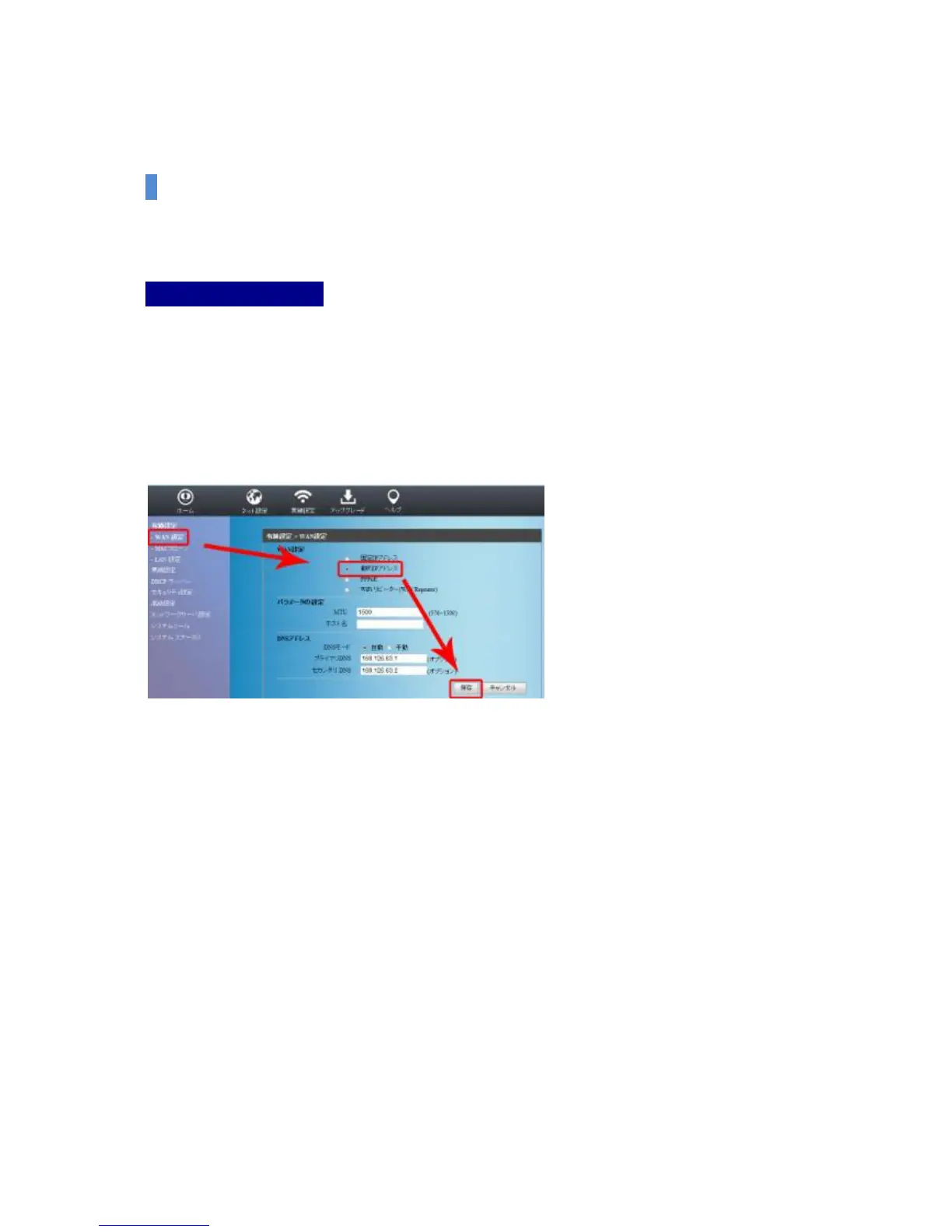
(1) Select Cable Setup-WAN Setup on the left Menu.
(2) Select Dynamic IP Address among the WAN setup options on the right screen, and if
necessary, click the save button at the bottom after entering the parameter values at the
bottom.


 To Next Page