Page 26-1
WX1 Setup
Setup to WIFI REPEATER
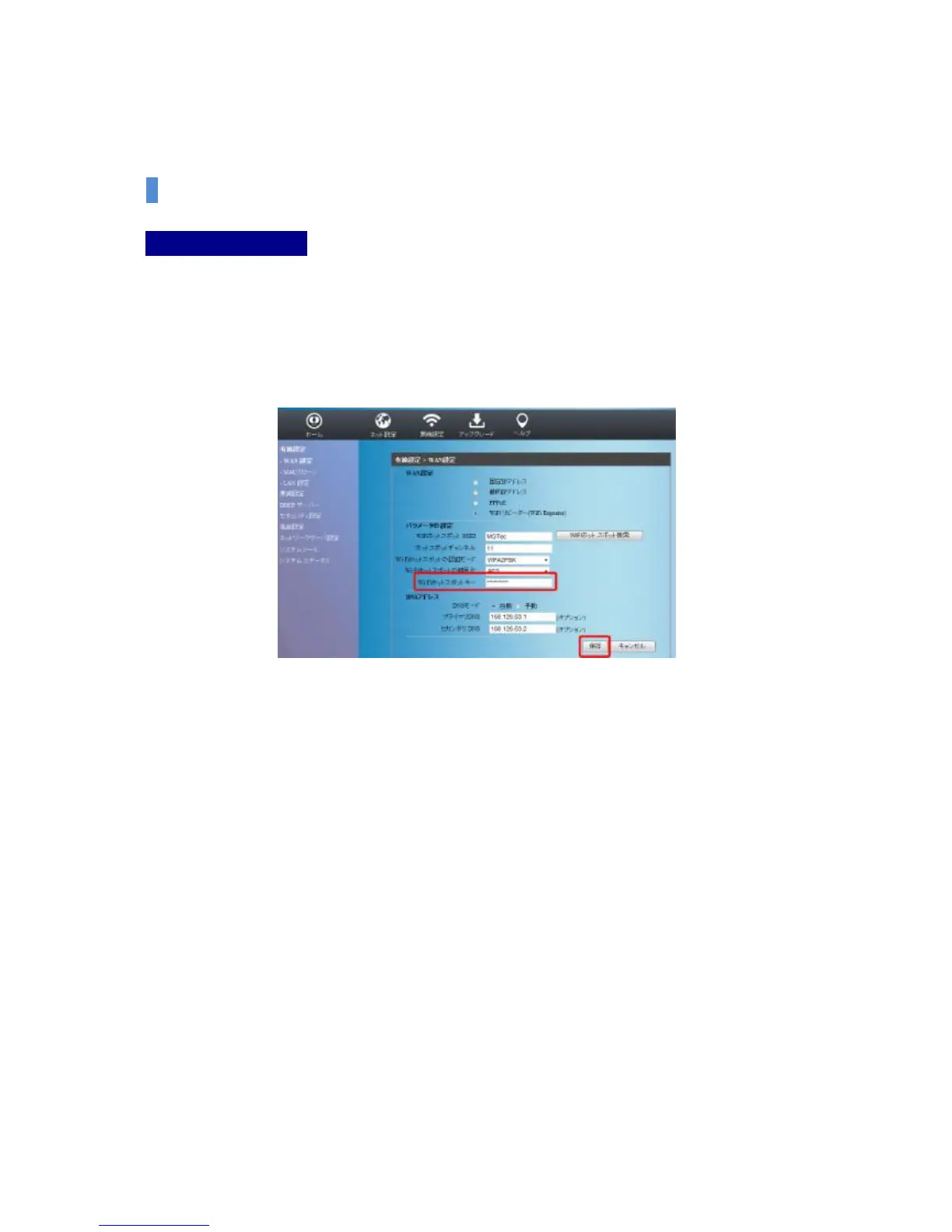
(4) After checking the information (Approval method, Encoding method, Password, etc.)
about the Hotspot (Wireless Router) currently selected, click the save button after
entering the password at the Hotspot key part if the password is needed to use the
Hotspot.
[Caution] When you setup to WIFI REPEATER, it works properly when wireless router and encoding,
channel, approval mode, etc. that works as Hotspot are the same.
[Caution] WIFI REPEATER may not work properly if the Wi-Fi signal is very weak.


 To Next Page