5
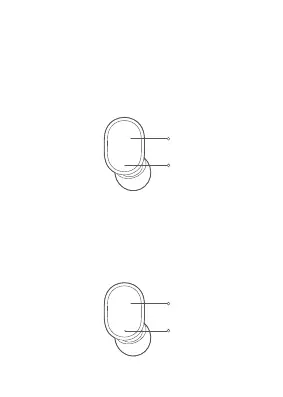
Press and hold
for 1 second
Indicator turns
white
Press and hold
for 5 seconds
Indicator is red for
about 2 seconds
Turning On
Once you remove the earbud from the charging
case, it automatically turns on.
In case the earbuds are not in the charging case
and turned off, press and hold the multi-function
button for 1 second till the indicator turns white.
Turning Off
Once you place the earbud into the charging
case, it automatically turns off.
When the earbud is turned on, press and hold
the multi-function button for 5 seconds till the
indicator turns red.


 To Next Page