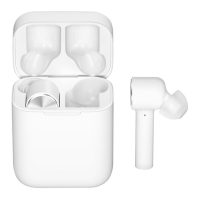
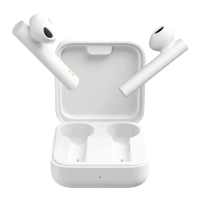
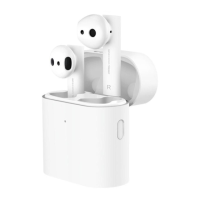
This document describes the Mi True Wireless Earbuds Basic S, model TWSEJ05LS, providing an overview of its components, usage, and technical specifications.
Product Overview
The device consists of a charging case and two earbuds (left and right).
Charging Case:
- Micro USB Charging Port: Used to charge the charging case and earbuds simultaneously.
- Charging Pins: Connect with the earbuds for charging.
- Charging Indicator: Displays the charging status. It is red while charging and turns white when fully charged, then goes off after 1 minute.
Earbuds:
- Sizes: The earbuds come with size M ear tips installed. Users can switch to size S or L if the installed size does not suit their ear.
- Multi-function Button: Used for various controls such as power on/off, call management, music playback, and voice assistant activation.
- Indicator: Shows the status of the earbuds (e.g., power on/off, pairing status).
- Microphone: For calls and voice commands.
- Charging Contact Points: Connect with the charging pins in the case for charging.
Wearing:
To wear the earbuds, gently insert them into the ear canal, ensuring they are secure and do not sway when shaking your head. For optimal call quality, adjust the earbud to expose the microphone during calls.
Charging:
Before initial use, remove the protective film from the earbuds' contact points. Connect the charging cable to charge both the earbuds and the charging case simultaneously. The charging indicator will be red while charging and turn white when fully charged, then go off after 1 minute.
Turning On/Off:
- Turning On:
- Automatically turns on when removed from the charging case.
- If off and not in the charging case, press and hold the multi-function button for 1 second until the indicator turns white.
- Turning Off:
- Automatically turns off when placed into the charging case.
- If on, press and hold the multi-function button for 5 seconds until the indicator turns red for about 2 seconds.
Connection:
- Automatic Connection:
- Remove both earbuds from the charging case simultaneously. Wait 2-3 seconds for them to connect to each other.
- Ensure Bluetooth is enabled on your device.
- When the indicator of the left or right earbud slowly blinks white, search for "Mi True Wireless EBs Basic S" on your device and connect.
- Once successfully connected, the earbuds will automatically connect to the previously paired device (if Bluetooth is enabled) when turned on.
- Note: If pairing fails, place the earbuds back in the case and repeat the steps.
- Switch between Single and Dual Earbud Mode:
- When both earbuds are connected (dual-earbud mode), placing one earbud back into the charging case and closing the lid will automatically switch the other earbud to single-earbud mode.
- Removing the earbud from the charging case will automatically restore dual-earbud mode.
Reset Earbuds:
If connection issues occur, follow these steps to reset:
- Remove the earbuds from the charging case and ensure they are turned off.
- Press and hold the multi-function button on both earbuds for about 15 seconds.
- After the indicator alternately blinks red and white three times (twice), release the button.
- Place the earbuds back in the charging case.
- Delete the earbuds from your device's list of paired devices.
- Pair them with your device again.
Function Overview (Applicable to both earbuds):
- Answer/End Calls: Gently press the multi-function button.
- Reject a Call: Press and hold the multi-function button for 1 second.
- Play/Pause Music: Press the multi-function button.
- Turn On Voice Assistant: Double press the multi-function button. (Note: Voice assistant and quick wake-up must be supported and enabled on your device.)
- Answer a Second Call/Switch between Calls:
- Press the multi-function button to answer a second incoming call.
- Double press the multi-function button to switch between two ongoing calls.
- Switch between Earbuds and Device (During a call): Press and hold the multi-function button for 1 second.
- Mute/Unmute (During an ongoing call): Double press the multi-function button.
- Enable/Disable Game Mode: Press the multi-function button three times. In game mode, audio delay and latency are reduced.
Precautions:
- Warning:
- Do not disassemble, repair, or modify the product, as this may cause fire or damage.
- Do not expose the product to extreme temperatures (below 0°C or above 45°C).
- Keep indicators away from the eyes of children and animals.
- Do not use during thunderstorms to avoid malfunction and electric shocks.
- Do not clean with alcohol or volatile liquids.
- Avoid contact with liquids.
- Excessive sound pressure can cause hearing loss.
- Note:
- Charge the product if unused for more than 2 weeks.
- Use only certified chargers from qualified manufacturers.
- Avoid continuous high-volume use to prevent hearing damage.
- Be aware of surroundings when using earbuds, especially outdoors; consider using a single earbud for safety.
- Occasional disconnects or no sound may occur in dense environments with 2.4 GHz electromagnetic signal interferences due to Bluetooth signal characteristics.
Specifications:
- Name: Mi True Wireless Earbuds Basic S
- Model: TWSEJ05LS
- Bluetooth Operating Frequency (For EU): 2402-2480 MHz
- Max RF Output Power: < 20 mW
- Earbuds:
- Dimensions: 26.65 × 16.4 × 21.6 mm
- Net Weight: Approx. 4.1 g (per earbud)
- Wireless Range: 10 m (in an obstacle-free environment)
- Battery Capacity: 43 mAh (per earbud)
- Charging Time: Approx. 1.5 h
- Music Playback Time: Approx. 4 h (earbuds only)
- Standby Time: Approx. 150 h
- Input: 5 V ⎓ 100 mA
- Battery Type: Lithium-ion Battery
- Wireless Connectivity: Bluetooth 5.0
- Bluetooth Profiles: HFP/A2DP/HSP/AVRCP
- Charging Case:
- Dimensions: 62 × 40 × 27.2 mm
- Input: 5 V ⎓ 500 mA
- Output: 5 V ⎓ 150 mA
- Charging Time: Approx. 2 h
- Battery Capacity: 300 mAh
- Battery Type: Lithium-ion Battery
- Storage Temperature: 0 °C to 45 °C
- Operating Temperature: 0 °C to 45 °C
- Service Life: 1 year
Yingsheng Inc. declares that the radio equipment type TWSEJ05LS complies with Directive 2014/53/EU. The full text of the declaration is available at http://www.mi.com/global/service/support/declaration.html.
CAUTION:
- Risk of explosion if the battery is replaced by an incorrect type.
- Dispose of used batteries according to instructions.
- Direct current symbol indicates suitability for direct current only.
- To prevent possible hearing damage, do not listen at high volume levels for long periods.
This symbol indicates that the product is Waste Electrical and Electronic Equipment (WEEE) under Directive 2012/19/EU and should not be mixed with unsorted household waste. Dispose of it at a designated collection point for recycling to protect human health and the environment. Contact local authorities for more information. End users should understand that the crossed-out wheeled bin symbol means WEEE should not be disposed of as unsorted municipal waste and must be collected separately.
Replacing the battery with an incorrect type can lead to hazards like fire, explosion, or leakage. Disposing of a battery in fire or a hot oven, or mechanically crushing/cutting it, can cause an explosion. Exposure to extremely high temperatures or low air pressure can also result in explosion or leakage of flammable liquid or gas.
- Manufactured for: Xiaomi Communications Co., Ltd.
- Manufactured by: Dongguan Yingsheng Electronic Technology Co., Ltd. (a Mi Ecosystem company)
- Address: Suite 1304, 13/F, Project Phrase 2 of Gaosheng Tech Tower, Gaosheng Tech Park, No.5 Longxi Road, Zhouxi Community, Nancheng District, Dongguan City, Guangdong, China.
- Importer: Beryko s.r.o., Na Roudné 1162/76, 301 00 Plzeň, www.beryko.cz

 Need help?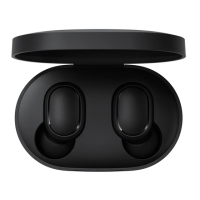

 To Next Page
 General