Need help?
Do you have a question about the Mi REDMI 2 and is the answer not in the manual?
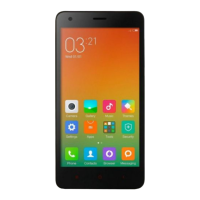
Identifies Front Camera, Power Button, Volume Button, Task Button, Home Button, Back Button, LED Indicator, and USB Port.
Details on Power Button (on/off), Volume Button (adjust volume/silent), and USB Port (On-The-Go).
Align contacts down, cut-off corner left. Remove battery before inserting/removing SIM/UIM.
Align copper contacts for insertion. Pull outward from notch at base to remove.
Insert contact area down; a click confirms lock. Switch off device before insertion/removal.
Press the middle of the back cover and pull gently upwards at the notch.
This document serves as a user guide for the Redmi 2, providing essential information for setting up and using the device. It covers basic functions, how to install components, and general maintenance tips.
The Redmi 2 features a straightforward design with clearly labeled external components. On the front, you'll find the Front Camera, which is used for taking photos and videos. Below the screen, there are three capacitive buttons: the Task Button, the Home Button, and the Back Button. These buttons are crucial for navigating the device's interface. The Task Button typically allows you to view and manage recently opened applications. The Home Button returns you to the main home screen from any application, and a long press might activate a voice assistant or other customizable functions. The Back Button allows you to go back to the previous screen or close the current application.
On the side of the device, there are physical buttons for controlling various functions. The Volume Button allows you to adjust the sound volume for media, calls, and notifications. A notable feature of the Volume Button is its ability to switch an incoming call to silent mode by pressing it during the call. The Power Button is used to turn the device on or off with a long press. It also serves to wake up or put the screen to sleep with a short press.
At the bottom of the device, you'll find the USB Port. This port is essential for charging the device and connecting it to other devices for data transfer. A key feature of the USB Port on the Redmi 2 is its support for the USB On-The-Go (OTG) function. This allows the device to act as a host, enabling you to connect USB peripherals such as flash drives, keyboards, or mice directly to your phone. Adjacent to the USB port, there is an LED Indicator which provides visual cues for notifications, charging status, and other system alerts.
The manual provides detailed instructions for installing and removing internal components, which is a common maintenance task for many mobile devices.
To Insert the Micro SIM or UIM Card, you need to ensure the card's metal contacts are facing down and its cut-off corner is positioned to the left. It's important to note that the Redmi 2 Micro SIM or UIM card slot is located above the battery. Therefore, you must remove the battery before attempting to insert or remove the SIM/UIM card. This is a critical step to prevent damage to the card or the device.
Inserting or Removing the Battery involves aligning the battery's exposed copper contacts with the corresponding contacts in the battery compartment. To insert, gently press the battery down until it is securely in place. To remove the battery, gently pull it outward from the notch located at the base of the battery compartment. This design ensures a secure fit while allowing for easy removal when necessary.
The device also supports expandable storage through a memory card. To Insert or Remove a Memory Card, the manual emphasizes the importance of safely uninstalling or switching off the device beforehand to prevent system problems. This is a crucial maintenance step to avoid data corruption or system instability. To insert the card, position it with the contact area facing downwards and slide it into the card slot. You will hear a clicking sound when the memory card is locked into place, indicating successful installation.
Finally, the manual explains how to Remove the Back Cover. This is often necessary for accessing the battery, SIM card, or memory card slots. To remove the back cover, you need to press down on the middle of the cover while gently pulling up at the notch provided. This method ensures that the cover can be removed without causing damage to the device's casing.
In summary, the Redmi 2 user guide provides comprehensive instructions for operating and maintaining the device, covering everything from basic button functions to the installation of critical internal components. It highlights key features like USB OTG support and emphasizes important safety precautions for component installation.
 General
| Display Size | 4.7 inches |
|---|---|
| Display Type | IPS LCD |
| Resolution | 720 x 1280 pixels |
| Processor | Qualcomm MSM8916 Snapdragon 410 |
| CPU | Quad-core 1.2 GHz Cortex-A53 |
| GPU | Adreno 306 |
| RAM | 1 GB / 2 GB |
| Internal Storage | 8 GB / 16 GB |
| Expandable Storage | microSD, up to 32 GB |
| Rear Camera | 8 MP |
| Front Camera | 2 MP |
| Battery Capacity | 2200 mAh |
| Operating System | Android 4.4.4 (KitKat), upgradable to 5.1 (Lollipop) |
| Dimensions | 134 x 67.2 x 9.4 mm |
| Weight | 133 g |
| SIM | Dual SIM (Micro-SIM, dual stand-by) |
| Colors | White, Yellow, Pink, Green |

 To Next Page