Need help?
Do you have a question about the Mi Redmi Note 11 and is the answer not in the manual?
Details on the customized Android-based OS, MIUI, offering frequent updates and user-friendly features.
Information on the SIM card tray, dual SIM functionality, and related precautions for SIM card usage.
Guidelines for safe disposal of the product according to EU regulations to protect the environment and health.
Warnings regarding battery replacement, hearing protection, and accessing additional safety information.
Comprehensive safety information for using accessories, operating temperature, battery handling, and charging practices.
Information on software updates, RED Declaration of Conformity, and compliance with EU directives.
Details on Specific Absorption Rate (SAR) limits and compliance for head and body exposure.
Overview of supported frequency bands, power levels, and compliance with FCC Rules for radio interference.
Important notes on FCC compliance, modifications, shielded cables, and accessing the device's electronic certification label.
This document serves as a Quick Start Guide for the Redmi Note 11, providing essential information for its initial setup, usage, and safety. The device is a digital mobile phone designed for general communication and multimedia purposes, running on Xiaomi's customized Android-based operating system, MIUI.
The Redmi Note 11 is a smartphone equipped with standard features for mobile communication. It supports dual SIM functionality, allowing users to utilize two nano-SIM cards simultaneously. This feature offers flexibility for managing personal and professional contacts or for optimizing network coverage. The device also includes a Micro SD card slot for expandable storage, enabling users to store a larger volume of photos, videos, and applications. For connectivity, the phone incorporates a USB Type-C port, which is a modern standard for charging and data transfer, offering reversible plug orientation and faster speeds compared to older USB types.
The device is designed to be user-friendly, with on-screen instructions guiding the initial configuration process. Its operating system, MIUI, is regularly updated to provide new features and performance enhancements based on user feedback. This ensures a continuously evolving and optimized user experience. The phone is capable of supporting Dual 4G SIM, which, depending on the telecom operator and region, allows for high-speed mobile data on both inserted SIM cards. VoLTE (Voice over LTE) is also supported in specific regions and with compatible telecom operators, enabling high-quality voice calls over the 4G network.
To begin using the Redmi Note 11, users are instructed to long-press the power button to turn on the device. Once powered on, the device will present on-screen instructions to guide the user through the initial setup, including network configuration, account setup, and other personalized settings.
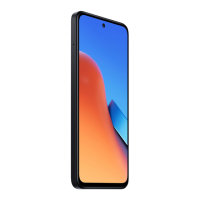
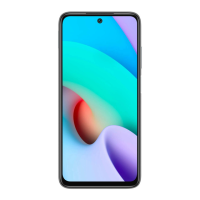
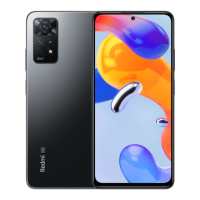
The physical layout of the device includes several key components for interaction. On the right side of the phone, there are volume buttons, typically used to adjust audio levels for calls, media, and notifications. Below the volume buttons is the power button, which not only turns the device on and off but also serves to lock and unlock the screen. The front of the device features a display with a central punch-hole cutout for the front camera, indicating a modern, full-screen design. At the bottom edge of the phone, the USB Type-C port is located, serving as the primary interface for charging the device and connecting it to a computer for data transfer.
The dual SIM functionality allows users to manage two different mobile numbers or network providers from a single device. When both SIM card slots are occupied, either card can be designated as the primary card for calls, messages, or data, offering convenience and control over communication preferences. The inclusion of a Micro SD slot means that users can expand the device's storage capacity beyond its internal memory, which is particularly useful for those who store large media files or numerous applications.
Maintaining the Redmi Note 11 involves adhering to several safety guidelines and best practices to ensure its longevity and safe operation. The device is designed to operate within a specific temperature range of 0°C to 40°C. Operating it outside this range can potentially damage the device, emphasizing the importance of using it in suitable environmental conditions.
For charging, it is crucial to use only the included or authorized cable and power adapter. Using unauthorized or incompatible adapters can lead to serious risks such as fire, electric shock, or damage to both the device and the adapter. Once charging is complete, users are advised to disconnect the adapter from both the device and the power outlet and to avoid charging the device for more than 12 hours.
The battery is a critical component, and its proper handling is emphasized for safety. Users are warned against disassembling, hitting, crushing, or burning the battery. If the battery shows any signs of deformation or damage, its use should be immediately discontinued. Short-circuiting the battery can cause overheating, burns, or other injuries. Furthermore, placing the battery in a high-temperature environment should be avoided as it can lead to overheating and potential explosion. Any removal or repair of the battery should only be performed by an authorized repair center of the manufacturer to prevent damage to the battery or the device itself.
The device should be kept dry, and users are advised against attempting to repair it themselves. In case of any malfunction, contacting Mi customer support or bringing the device to an authorized repair center is the recommended course of action. When connecting other devices, users should always refer to their instruction manuals and avoid connecting incompatible devices to the Redmi Note 11. For AC/DC adapters, the socket-outlet should be easily accessible and located near the equipment.
Environmental responsibility is also highlighted, with instructions for the safe disposal of the product. The device bears a WEEE marking, indicating that it should not be discarded with household waste in the EU. Instead, it should be recycled responsibly through designated return and collection systems or by contacting the retailer, to prevent harm to the environment and promote the sustainable reuse of material resources. This commitment to environmental safety extends to the battery, which must be recycled or disposed of separately from household waste, in accordance with local regulations.
 General
| Display | 6.43 inches, AMOLED, 1080 x 2400 pixels |
|---|---|
| Processor | Qualcomm Snapdragon 680 |
| RAM | 4GB/6GB |
| Storage | 64GB/128GB |
| Front Camera | 13 MP |
| Weight | 179g |
| Dimensions | 159.87 x 73.87 x 8.09 mm |
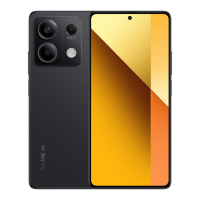
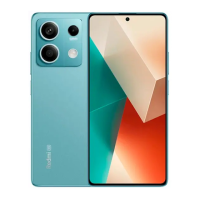
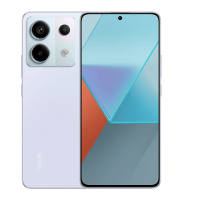
| Colors | Graphite Gray, Twilight Blue, Star Blue |
| SIM | Dual SIM (Nano-SIM, dual stand-by) |
| Network | 4G LTE |
| USB | USB Type-C 2.0 |
| Fingerprint Sensor | Side-mounted |
| Rear Camera | 50 MP + 8 MP + 2 MP + 2 MP |
| Battery | 5000 mAh |
| Operating System | MIUI 13, based on Android 11 |
| Bluetooth | 5.0 |

 To Next Page