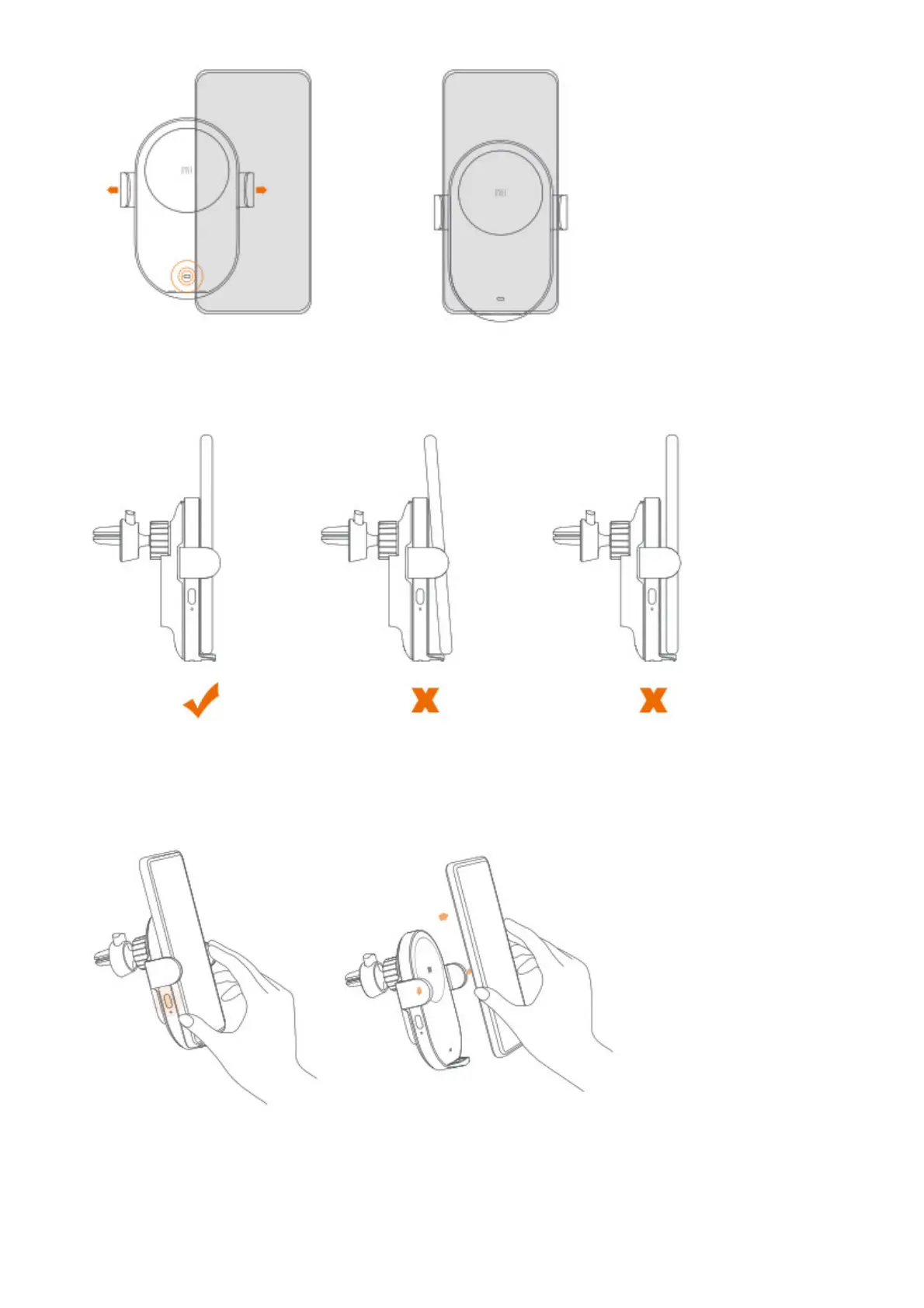
3. In order to achieve a better charging performance, make sure the phone is properly placed onto the wireless car
charger, so it is close to the charging surface (refer to the figure below). When the indicator blinks, it indicates
that the charger is in protection mode. Please check whether there is a metal object on the charging surface or
on the back of the phone. If the issue persists, please contact after-sales service. *
* When a phone that
does not support wireless charging is placed onto the car charger, the indicator will blink.
4. When you need to remove the phone from the wireless car charger, press the button to release the arms. The
arms will open, and release the phone, then charging will stop.
Note: When the car’s cigarette lighter or power port are not supplying power, the phone can be removed
directly.
5. When the Mi 20W Wireless Car Charger cannot be secured onto an air vent with its clamp, the supplied
adhesive mount can be used to secure it onto a flat surface.



 To Next Page