EasyManua.ls Logo

Micca M707Z - User Manual

Micca M707Z
20 pages
Print Icon
To Next Page IconTo Next Page
Loading...
Copyright © 2009-2018 Micca. All rights reserved. 180201
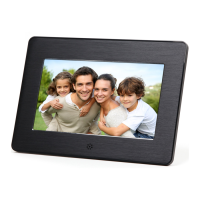
Micca Digital Photo Frame
Owner’s Manual
Models: M707Z, M808Z, M1010Z
Copyright ©
2009
-
2018 Micca
. All rights r
eserved.
This manual may not be reproduced in whole or in part without
permission for any purpose other than personal use.
Got a Question or Need Help?
Email our technical support team at: support@miccatron.com for personalized
assistance with the setup and use of this product. Please visit our product
information website www.miccatron.com for the following:
- Product Updates
- User’s Manuals
- Troubleshooting Wizard
- Technical Support Request
Warranty: 1 Year

Questions and Answers

Summary

Quick Start Guide

Prepare Media Files

Copy photos, music, and videos to an SD card or USB drive.

Insert Storage Media

Connect the prepared SD card or USB drive into the photo frame.

Power On and View

Turn on the device to automatically start the photo slideshow.

Precautions

Precautions and Maintenance

Outlines safety guidelines for usage and care instructions for the device.

Getting Started

Initial Setup Procedure

Guides users through the first-time setup, including placement, power, and initial checks.

Operating Instructions

Storage Media Support

Information on supported SD cards and USB drives, including capacity and file formats.

Viewing Photos

How to display photos, including automatic slideshows and manual selection.

Detailed Settings

Troubleshooting Guide

Storage Device Issues

Solutions for problems reading SD cards or USB drives.

Video Playback Problems

Troubleshooting tips for incompatible or non-playing video files.

Photo Display Errors

Addressing issues with photos not showing or repeating.

Micca Limited Warranty

Micca M707Z Specifications

General IconGeneral
Display Size7 inch
Resolution800 x 480 pixels
Aspect Ratio16:9
Dimensions7.8 x 5.4 x 0.9 inches
Audio FormatsMP3
Supported FormatsJPEG, BMP
ConnectivityUSB
Power SupplyAC power adapter
Memory Card SupportSD, MMC, MS
Video FormatsMPEG1/2/4, AVI
FeaturesClock, Calendar, Slideshow
StorageNo internal storage

Related product manuals