EasyManua.ls Logo

Micca M707 - User Manual

Default Icon
20 pages
Print Icon
To Next Page IconTo Next Page
Loading...
Copyright © 2009-2018 Micca. All rights reserved. 180201
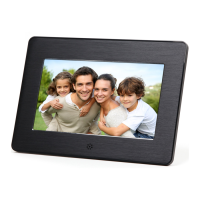
Micca Digital Photo Frame
Owner’s Manual
Models: M707Z, M808Z, M1010Z
Copyright ©
2009
-
2018 Micca
. All rights r
eserved.
This manual may not be reproduced in whole or in part without
permission for any purpose other than personal use.
Got a Question or Need Help?
Email our technical support team at: support@miccatron.com for personalized
assistance with the setup and use of this product. Please visit our product
information website www.miccatron.com for the following:
- Product Updates
- User’s Manuals
- Troubleshooting Wizard
- Technical Support Request
Warranty: 1 Year

Questions and Answers

  • D
    Donna SimsAug 10, 2025
    How to fix Micca Digital Photo Frame when it cannot read SD card?
    • M
      Micheal GarrettAug 10, 2025
      If your Micca Digital Photo Frame cannot read an SD card or USB drive, reformatting the device using a computer might help. Remember to back up your photos first, as reformatting will erase everything. Use FAT32 as the file system when reformatting.
  • B
    benjamindanielAug 26, 2025
    Why can't I copy photos to the internal memory of my Micca M707?
    • J
      Janet BruceAug 26, 2025
      If you cannot copy a photo to the internal memory of your Micca Digital Photo Frame, it is likely because the internal memory is very small. Delete some older photos to create enough space for the new one.

Micca M707 Specifications

General IconGeneral
BrandMicca
ModelM707
CategoryDigital Photo Frame
LanguageEnglish

Related product manuals