EasyManua.ls Logo

Micro Innovations KB985W - User Manual

Micro Innovations KB985W
9 pages
Print Icon
To Next Page IconTo Next Page
Loading...
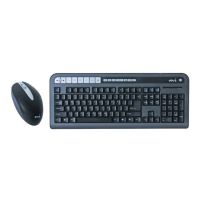
Wireless Internet Keyboard and Optical Mouse
User’s Manual
Model KB985W

Questions and Answers

  • S
    Sara DelgadoJul 29, 2025
    Why is Windows® Multimedia Player not launching with Micro Innovations KB985W Computer Accessories?
    • J
      Jordan IbarraJul 29, 2025
      If the Windows® Multimedia Player is not launching when using your Micro Innovations computer accessories, you might need to update your Windows® Multimedia Player (WMP). Note that it is not recommended to use other media players with this device, as such programs may cause unexpected problems.
  • R
    Ronald HigginsAug 14, 2025
    How to fix Micro Innovations KB985W Computer Accessories keyboard hot keys that do not work or type wrong characters?
    • S
      stephanie60Aug 14, 2025
      If your Micro Innovations computer accessories keyboard hot keys aren't working or the keyboard is typing wrong characters, try re-installing the software from the CD. Before doing so, ensure that any previous keyboard drivers and software have been removed. You can also try moving the keyboard and mouse closer to the RF receiver.

Summary

Welcome

Product Features and Benefits

Details the product's capabilities, including one-touch controls and optical sensor performance.

Package Contents Overview

Lists all components included in the product packaging for user verification.

Installation Procedures

Wireless Device Synchronization

Steps to ensure the keyboard and mouse connect and operate correctly with the receiver.

Programmable Hot Key Settings

Customize Hot Key Functions

Guide on assigning custom actions, programs, or web pages to keyboard hot keys via software.

Hot Key Definitions

Keyboard Function Key Explanations

Detailed descriptions of the functions performed by each numbered hot key on the keyboard.

Troubleshooting Common Issues

Resolve Hot Key Malfunctions

Solutions for when the keyboard's programmable hot keys are not functioning as expected.

Correct Typing Character Errors

Steps to fix problems causing the keyboard to input incorrect characters.

Address Keyboard Unresponsiveness

Procedures to follow if the keyboard fails to respond to input or connection.

Fix Media Player Launching Issues

Guidance on resolving problems encountered when launching the default media player.

Maintenance and Technical Support

Product Care and Longevity Tips

Recommendations for maintaining the product to ensure its longevity and prevent damage.

Access Technical Support

Contact information and operating hours for obtaining assistance with product issues.

Micro Innovations KB985W Specifications

General IconGeneral
BrandMicro Innovations
ModelKB985W
CategoryComputer Accessories
LanguageEnglish