6
Programmable Hot Key Settings
To enable the programmable hot key functions, click Start⇒
Programs⇒ Micro Innovations⇒ Wireless Keyboard
The following icon
will appear in the lower right-hand
corner of your system tray. To launch the keyboard settings
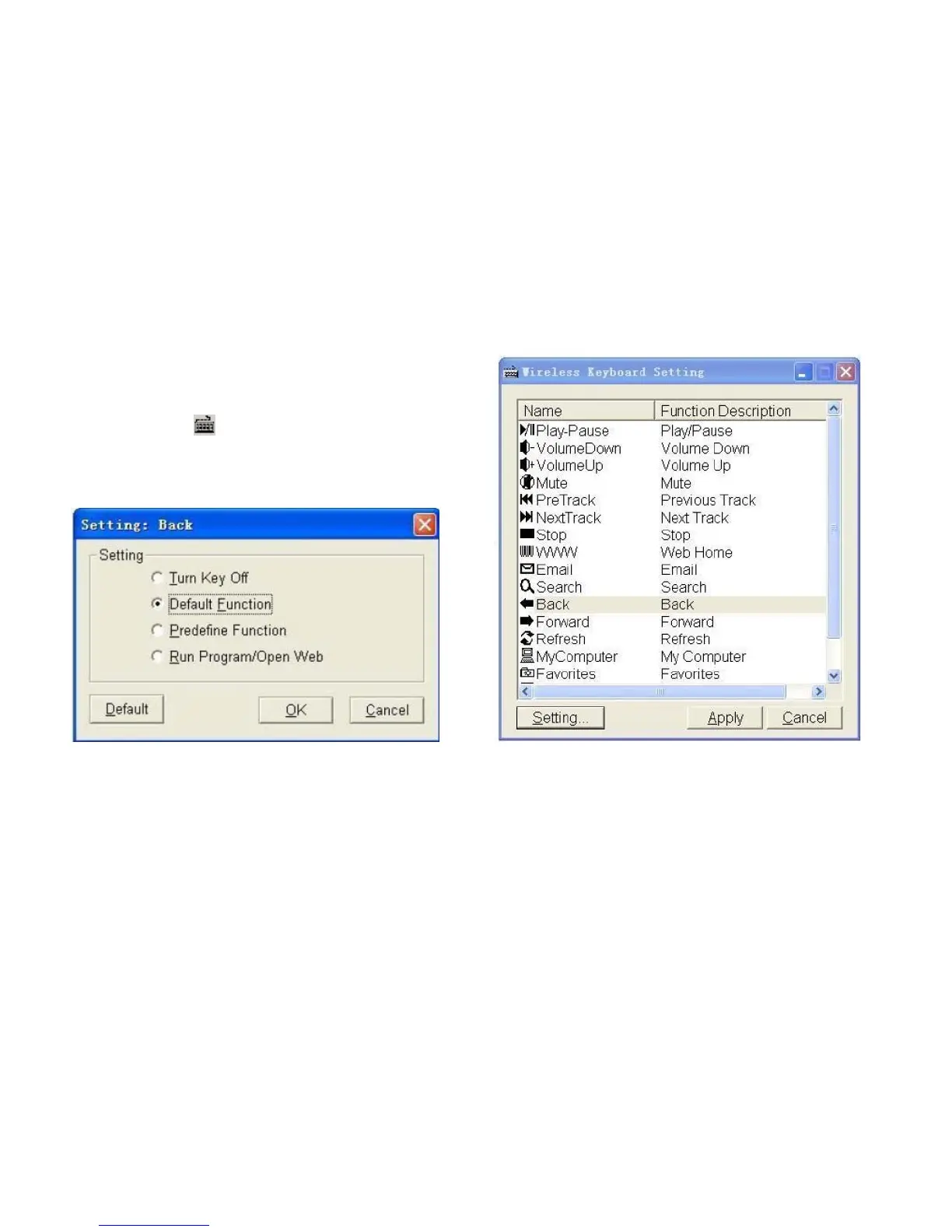
interface (Fig.1), click the keyboard icon. Highlight the name of
the key and select “Setting...” button. The following window will
appear:
The programmable hot keys are designed to perform specific operations that are labeled as “Predefine Function.” You can
disable their functionality by selecting “Turn Key Off”. Note: You can return to all predefined functions by selecting the
“Default Function” button. To assign a program or website, choose “Run Program/Open Web” and click “Next”. Type in the
name of the function and choose program or website address. Click “Ok” to finish.


 To Next Page