EasyManua.ls Logo

Micro Innovations PD7250LSR - Installation Procedures; Synchronization Steps

Micro Innovations PD7250LSR
8 pages
Print Icon
To Next Page IconTo Next Page
To Previous Page IconTo Previous Page
Loading...
5
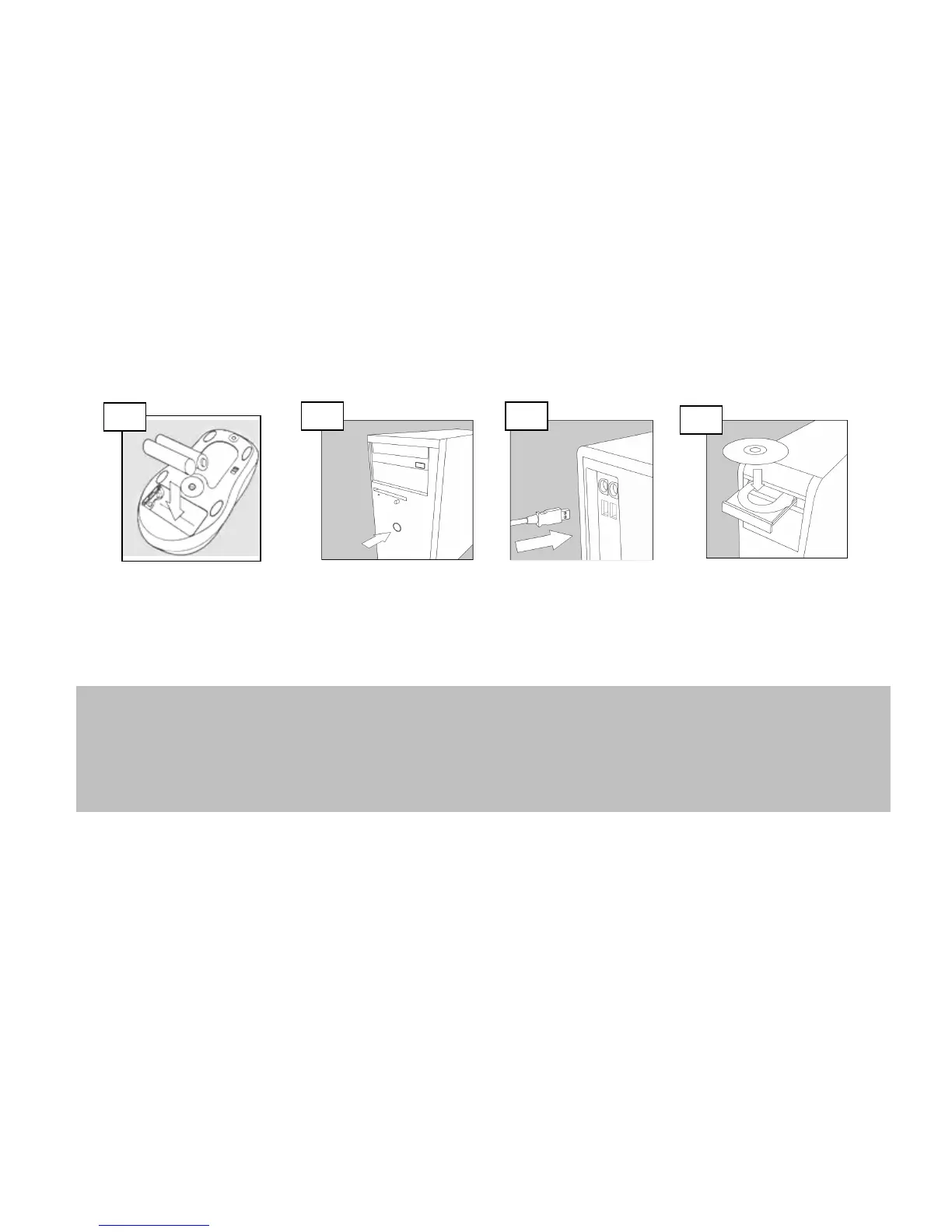
Installation Procedures
Open the battery compartment
located underneath the mouse
and install the 2 AA batteries.
Turn on your PC.
Insert the USB
connector of the RF
receiver into an
available USB port.
Install the software CD.
Your new mouse is now ready
for use.
If your keyboard and mouse does not work automatically, please follow the synchronization steps below.
Note: You may also have to perform this procedure when changing the batteries.
Step 1 – Press the button on top of the receiver once
Step 2 – Press the synch button underneath the keyboard
Step 3 – Press the button the receiver again
Step 4 – Press the synch button underneath the mouse
2
3
4
1

Related product manuals