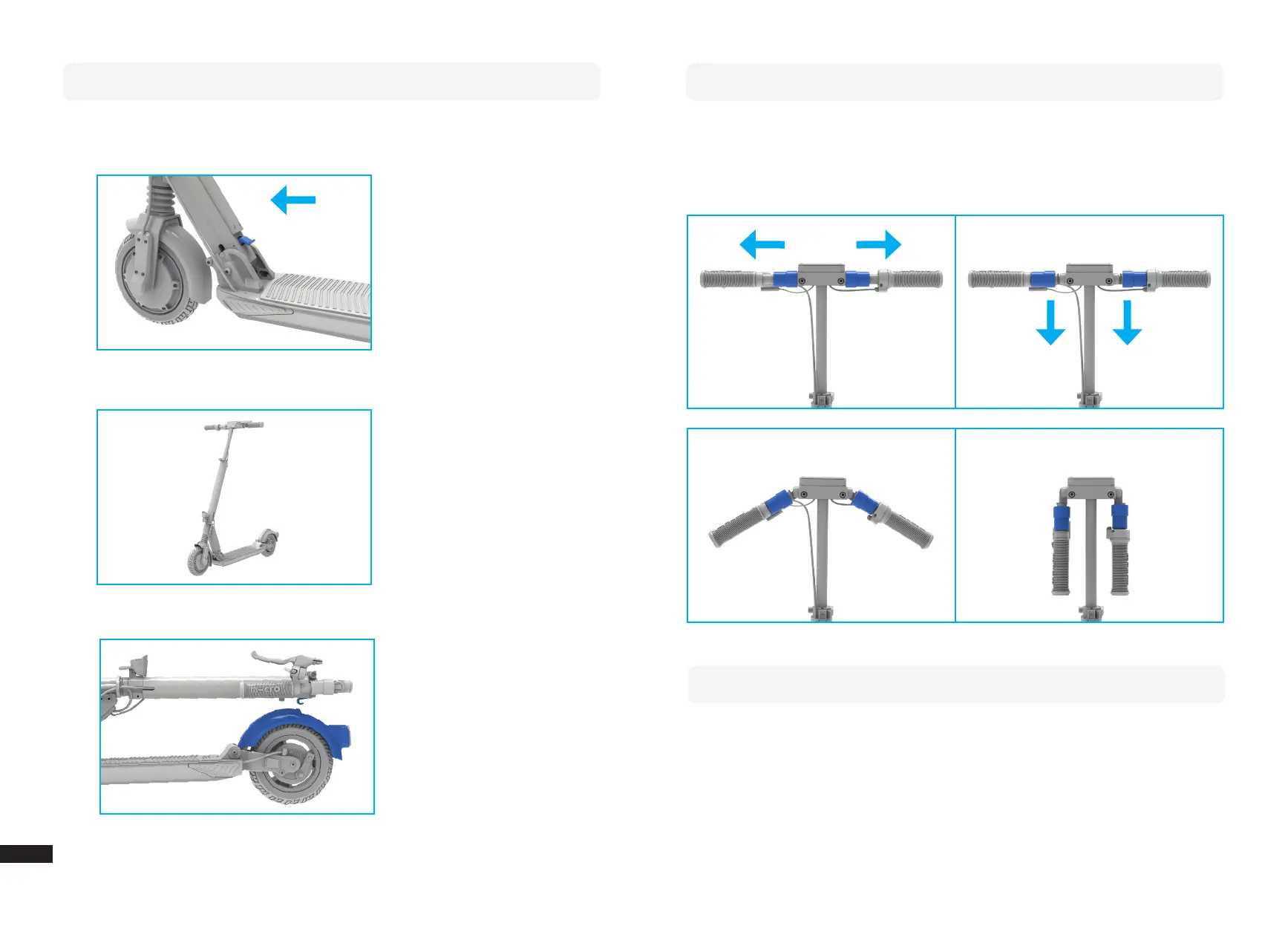
Folding
1. To fold your scooter, push the blue lever down with your foot while applying
pressure on the handlebar in direction of riding.
2. This scooter does not have a sidestand. You can let it stand by folding it partly
3. Click the hook on the vertical tube into the rear brake pedal.
18 19
Foldable Handles
You can fold the scooters handles in order to store it compactly. To do so, just pull
out the handles horizontally and fold them down. To unfold them, just push them up
slightly and they will automatically click into position.
Turning the light on and o
To switch the light on/o press shortly the light button (second button from the
right side of the display).
EN


 To Next Page