EasyManua.ls Logo

Micro VT-04 - User Manual

Micro VT-04
7 pages
Print Icon
To Next Page IconTo Next Page
Loading...
MICROTESTMACHINES Co.
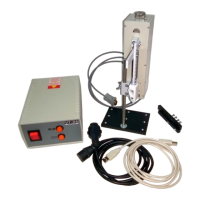
Automated dipper mechanism
VT-04
microtm.com
Question and Answer IconNeed help?

Do you have a question about the Micro VT-04 and is the answer not in the manual?

Summary

Installation of VT-04 Mechanism

Delivery Set Components

Details the included components of the VT-04 automated dipper mechanism.

Dipping Unit Elements

Identifies and describes the main parts of the dipping unit assembly.

Assembling the VT-04 Dipper Mechanism

Step-by-step Assembly Guide

Outlines the sequence of steps for assembling the VT-04 mechanism.

Software Installation and Setup

USB-to-COM Driver Installation

Instructions for installing necessary drivers for PC communication.

Control Program Installation

Guide to installing the software application for operating the VT-04.

Using the VT-04 Control Program

Control Panel Interface

Overview of the graphical user interface and its controls.

Device Connection Procedure

Steps to establish a connection between the host PC and the control unit.

Upper Point Calibration

Procedure for setting the upper limit of the dipper arm's movement.

Manual Operation Mode

How to control the dipper arm's movement using manual controls.

Programmable Operation Mode

Details on setting up and running automated dipping cycles.

Exiting the Control Program

Recommended steps for safely closing the software and disconnecting.

Summary

Installation of VT-04 Mechanism

Delivery Set Components

Details the included components of the VT-04 automated dipper mechanism.

Dipping Unit Elements

Identifies and describes the main parts of the dipping unit assembly.

Assembling the VT-04 Dipper Mechanism

Step-by-step Assembly Guide

Outlines the sequence of steps for assembling the VT-04 mechanism.

Software Installation and Setup

USB-to-COM Driver Installation

Instructions for installing necessary drivers for PC communication.

Control Program Installation

Guide to installing the software application for operating the VT-04.

Using the VT-04 Control Program

Control Panel Interface

Overview of the graphical user interface and its controls.

Device Connection Procedure

Steps to establish a connection between the host PC and the control unit.

Upper Point Calibration

Procedure for setting the upper limit of the dipper arm's movement.

Manual Operation Mode

How to control the dipper arm's movement using manual controls.

Programmable Operation Mode

Details on setting up and running automated dipping cycles.

Exiting the Control Program

Recommended steps for safely closing the software and disconnecting.

Micro VT-04 Specifications

General IconGeneral
BrandMicro
ModelVT-04
CategoryIndustrial Equipment
LanguageEnglish