7
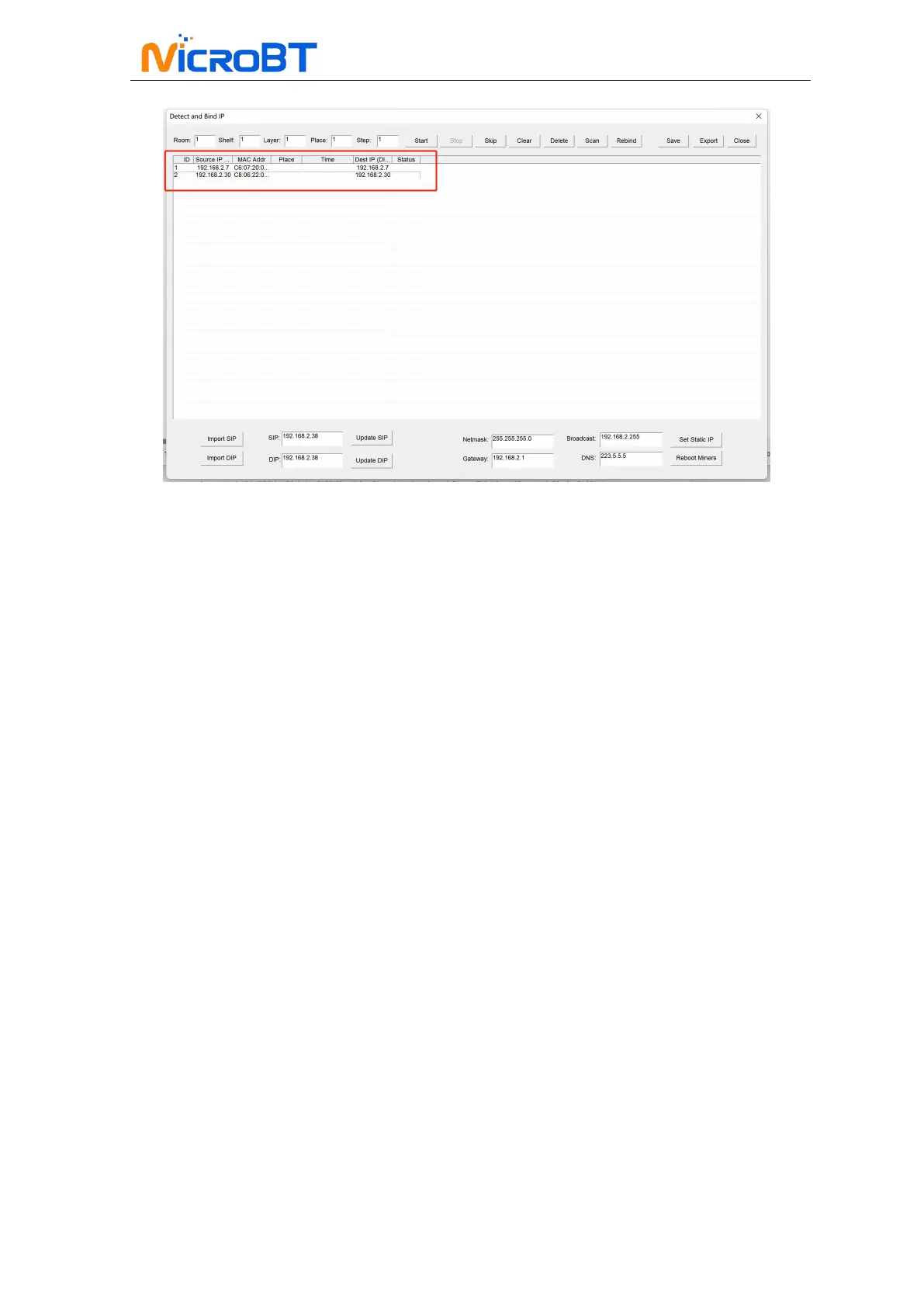
WhatsMinerTools software.
Notes:
(1)If all the lights on the panel of the control board are not lit after power-on,
please check whether the PSU of the 220V power cable and the 16A power
cable are reliable and the connection is correct.
(2)If the indicator on the right side of the panel of the control board is on, but the
network port is not lit, or the green light is not flashing, check whether the
switch is normal, the whether network cable connection is reliable.
(3)The computer and miner running the WhatsMinerTools software must be on
the same network segment. Otherwise, the software may not receive the
broadcast message from the miner, so the IP Address and MAC Address
information reported by the miner IPFOUND button cannot be queried.
(4)If the computer and the miner miner are on the same network segment, and
the DHCP service is enabled in the network, after the mining miner IPFOUND
button is pressed, and WhatsMinerTools software does not query the IP of
the miner, long press the reset button on the miner panel for more than 5s to
recover Factory default configuration, then power off the miner miner.
Power on to restart, power on for 30s and then press the IPFOUND button to
detect the miner IP address.
(
5
)
If the computer is running WhatsMinerTools software, and after clicking "Start",
without manually pressing the IPFOUND button, the software automatically
finds the IP Address and MAC address of the miner, the IPFOUND button of
the miner may be stuck by the panel. Find the software. Display the miner
corresponding to the MAC address (the MAC address bar code is attached to
the miner panel), power off the corresponding miner, and then re-install the
control board to ensure that the control panel buttons and indicators are
exposed to the mounting holes, and are not stuck.


 To Next Page