6
The miner defaults to DHCP to obtain dynamic IP. Therefore, the mine network must be
configured with a DHCP server, or the router can enable DHCP to dynamically allocate the IP
address service. The running time of the miner, the correctness of the calculation statistics, etc.
depend on the network NTP time. The mining miner itself is configured with multiple NTP server
addresses of the public network by default. In order to speed up the acquisition of network time
and improve the time precision, it is recommended to mine the network. Configure a local NTP
server.
6.Data Configuration
(
Configuration on the web page
)
6.1 Query the dynamic IP address obtained by the miner
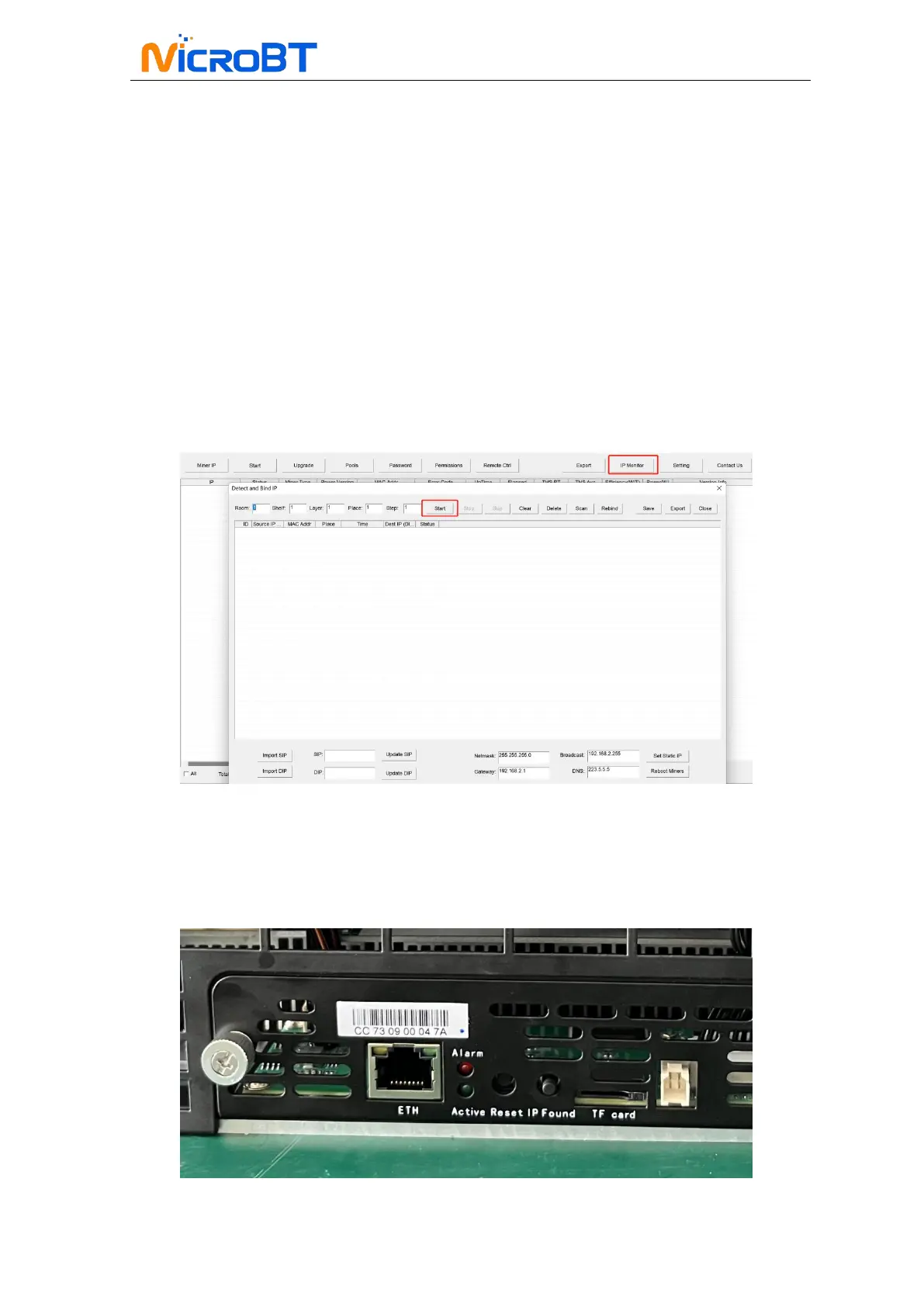
Miner Data Configuration: Connect PC to the same network the miner is located, run
WhatsMinerTools software on the PC, select the “IP Monitor” tab, set the room number, rack
number and layer number of the rack where the mining miner is located, the location number of
the layer, click "Start".
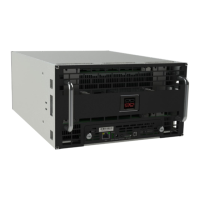
After the miner is powered on for about 30s, under normal circumstances, the yellow light of the
network port is always on and the green light is blinking. Press the IPFOUND button (long button
highlighted) on the miner control panel for more than 5s, the two LEDs on the right will flash a
few times, indicating that the miner has broadcast the IP and MAC address of the unit to the
network.
View the dynamically obtained IP, MAC address, and miner position reported by the miner in


 To Next Page