Chapter 1 Introduction
In This Manual
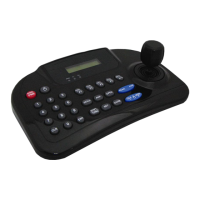
Overview : This manual covers the operation of the WTX-1200A keyboard.
WTX-1200A keyboard
This remote keyboard is an accessory for PTZ dome camera, etc
It allows the user to control from 1 to 255 camera.
Features
Controls from 1~ 255 cameras.
Multiple protocol supported in each channel
RS485/RS-422 Communication (Tx : 3 port, Trx : 1 port)
Programmable user preferences (preset, tour, group, etc)
Built in 3 Axis proportional joystick
Easy upload programmed data via serial communication port of PC.
Built in 2 lines character LCD.
User password support
Designed for desktop use
Programmable transmission speed for each IP (2.4~57.6kbps)
Note : units should be set to the communication protocol and the same baud rate.
Before installation
This keyboard system must be installed by qualified service and installation personnel.
Perform the following steps to install the keyboard system.
A.Unpack all components.
B.Place the keyboard in a convenient location.
Note : Carefully and completely read the manuals for each piece of equipment before
attempting to installation and connect the equipment.
C. Decide on the configuration method.
D. Use one of the following sections to configure the wiring.


 To Next Page