LT-6773 Rev 0 February 2024 3
TX3 Cloud Gateway Installation Manual
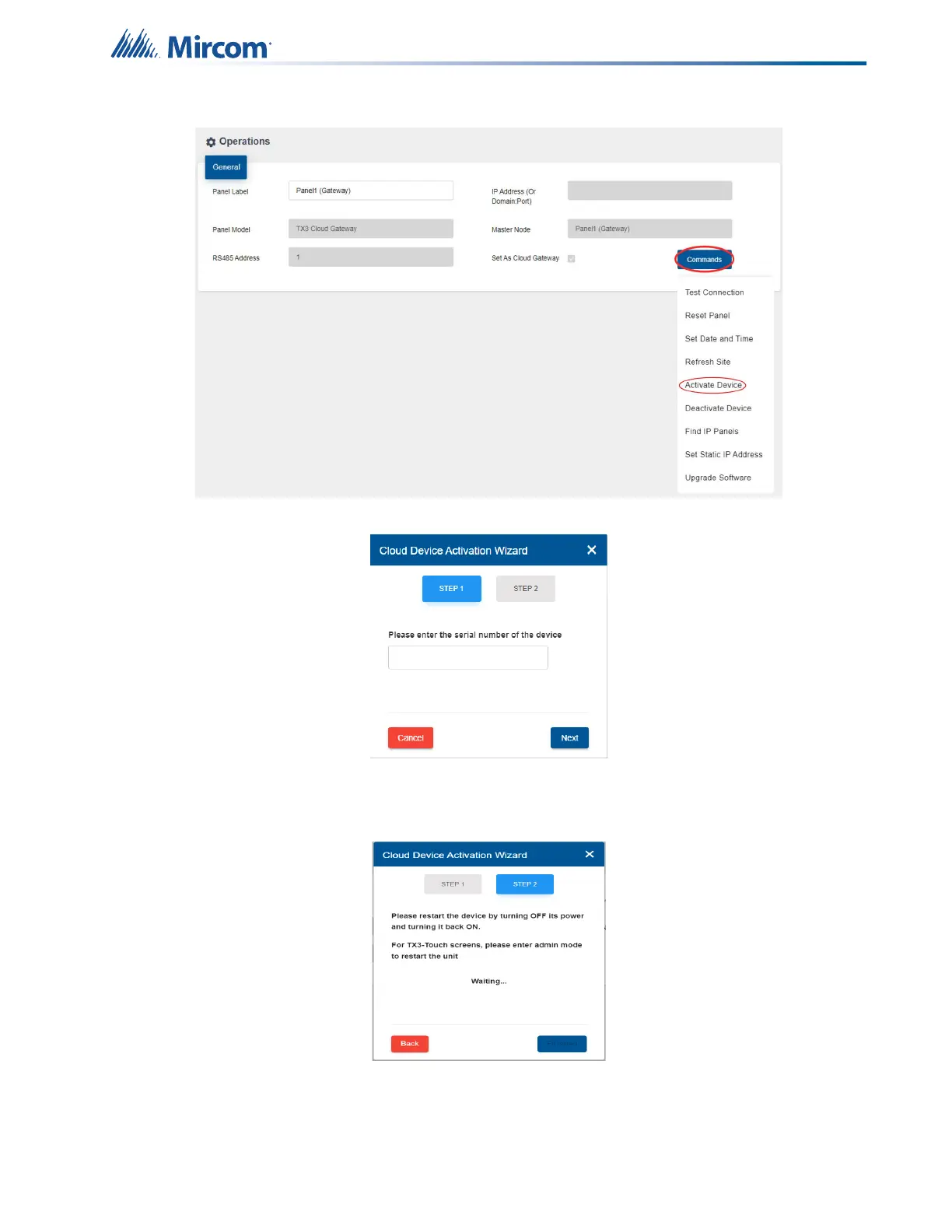
8. Click on Command > Activate Device.
9. Enter the serial number of the gateway, which can be found on the gateway unit.
The purpose of the serial number is to identify and activate the device; it is in the format
XXXX-XXXX-XXXX and consists of both letters and numbers.
10. Click on Next.
11. Restart the device by turning off its power and then turning it back on by pressing the
power button located on the front of the device.



 To Next Page